Product Updates: Power BI Migration, New Explore Interface, Embed Events, and More
June 2026 product updates: Power BI Migration Skill, New Explore Interface, Embed Events, Oracle Connector, KPI Metric Styling, and Color Palettes as Code.

Monday, Jun 22, 2026
Power BI teams evaluate Holistics often, and they evaluate more thoroughly than almost anyone we talk to. They also almost never switch.
We understand why, though.
They can see what needs fixing - the inconsistent metrics, the rudimentary governance, how every data question is still routed through the data team. So they do the research, run the trials for every tool, then go back to using Power BI because the switching costs never make sense. Rebuilding hundreds of DAX measures, datasets, and dashboards on a completely new platform takes weeks of full-time work that nobody wants to fund. The best product in the world is irrelevant if the switching cost exceeds the switching budget.
That is how it's always been, until you can let coding agents do the heavy lifting for you.
Last month we released Local Agentic Development, where you can use your favorite coding agent for BI development. Holistics has been fully as-code from day one, so coding agents can understand, modify, validate, preview, and publish analytics assets end-to-end instead of just generating SQL snippets. Agents need a substrate they can read, reason on, and change safely. Holistics gives them three.
That's how we built a single AI skill that migrates an entire Power BI project. And it's also how our design team built a complete World Cup dashboard, one of the best ones we've seen, over a weekend.
This month, we continue to make agentic BI development with Holistics even easier. Here's what's new.
Just Released
🤖 Set Up Local Agentic Development in One Command
Setting up a local development workflow with AI agents used to mean a string of manual steps, each with its own way to fail: set up Git integration, install the Holistics CLI and authenticate, connect the MCP server, install the Holistics skill, and only then could you start developing.
The new /setup-amql-development skill collapses all of that into one step. Clone your project, install the holistics/skills plugin, run the skill, and wait. Under the hood, it:
- Installs and authenticates the Holistics CLI over OAuth — no API key copying
- Connects the MCP server to your agent
- Starts a continuous
holistics sync-codesession so local saves update the cloud preview in seconds
When it completes, your agent is connected to your workspace and you can start developing immediately.
🔋 Power BI → Holistics Migration Skill
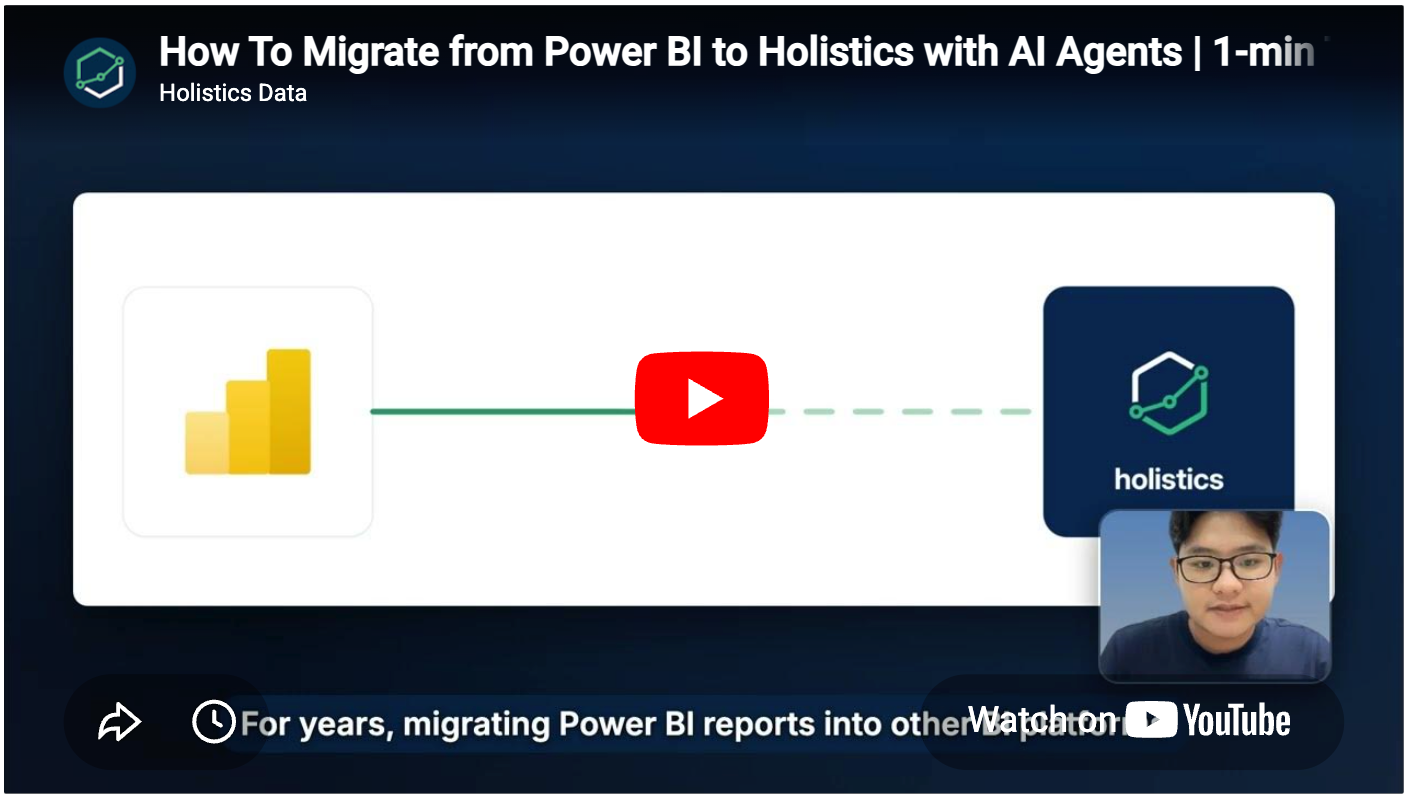
This is a real-world example of applying coding agents to BI development: migrating a Power BI project to Holistics. Now you can drop your .pbip export next to a Holistics project and start the migration skill.
The agent writes AML models and datasets, translates your DAX to AQL (Holistics' composable query language for coding agents), rebuilds the dashboards, validates metric totals against your original Power BI values, and syncs everything to the cloud.
🛣️ New Explore Interface
There's a review on Capterra that says Holistics has everything you need, but the interface is a bit of a junk drawer. Like you know the scissors are in there, but you just can't get to them without moving the batteries and a phone charger from 2014.
It was some time ago, but they're not entirely wrong. So we're organizing the drawer.
The new Explore interface moves the actions you actually use - ask AI, break down your data, drill by time, run - into the toolbar where they belong, without the viz panel cluttering your view. Common chart types are front and center with a cleaner icon set. Less common ones sit behind "more." We'll keep cleaning this up over the coming weeks.
(Speaking of Capterra, if you have a few minutes and like what we've been doing, a review would mean a lot.)
🔌 Embed Events: Control Embedded Dashboards with JavaScript
Embed Events lets you control embedded Holistics dashboards from your application using JavaScript. Send commands, listen for user interactions, and keep your app and dashboard in sync, all through the browser's standard postMessage API.
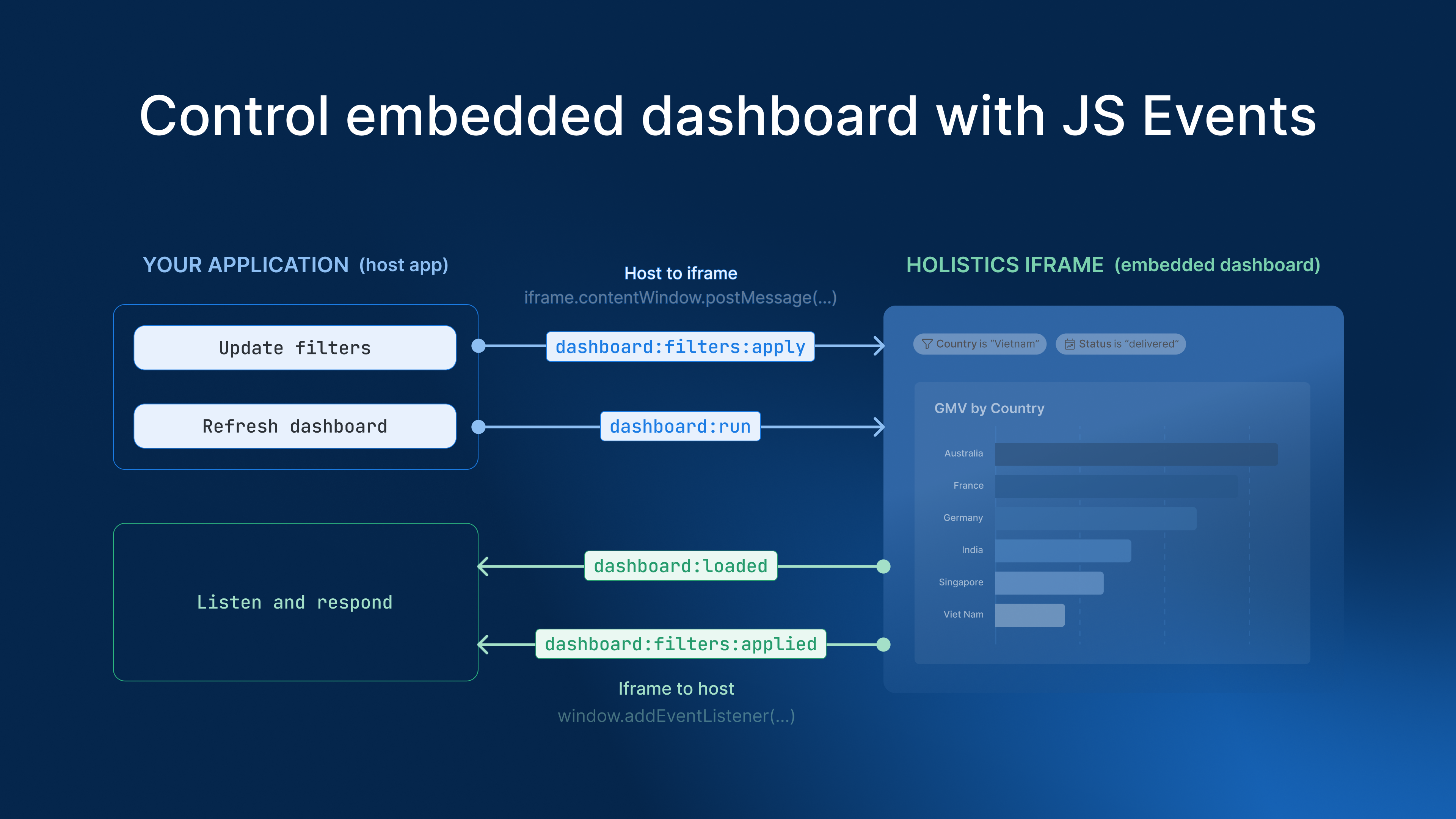
Previously, embedded dashboards were one-directional — your app could configure the embed at load time but couldn't respond to user interactions or send commands afterwards. With Embed Events you can:
- Sync filters — push filter values from your app into the dashboard, or listen for user filter changes and reflect them in your app
- Navigate dashboards — build a custom tab switcher or menu that controls the iframe without a full reload
- React to errors — detect
embed_errorevents and auto-refresh an expired JWT to keep the session alive
🔴 Oracle Database Connector
Oracle Database is now a supported data source in Holistics. You can connect your Oracle warehouse directly and build models, datasets, and dashboards with full filter support, no ETL workaround required.
Previously, Oracle-shop teams had to land their data in a separate warehouse before Holistics could query it. Now you can point Holistics straight at Oracle and get to work.
🎨 KPI Metric Styling in Dashboard Theme
Styling KPI cards used to mean configuring each one individually. Across a dashboard with a dozen KPIs, that's a dozen separate configurations that should all look the same but probably don't.
KPI metric styling is now part of the dashboard theme.
With this update, you can:
- Style once, apply everywhere — configure KPI appearance in the dashboard theme and have it propagate to every KPI on the dashboard
- Customize per state — set distinct styling for positive, negative, and neutral trend indicators
- Control every visual detail — alignment, label and value text, progress bars (text, indicator, track), and trend indicators
Coming Soon
🎨 Define Chart Color Palettes as Code
Color palettes in Holistics have previously lived in Admin Settings, disconnected from the code, with no version control and no easy way to keep them consistent across dashboards.
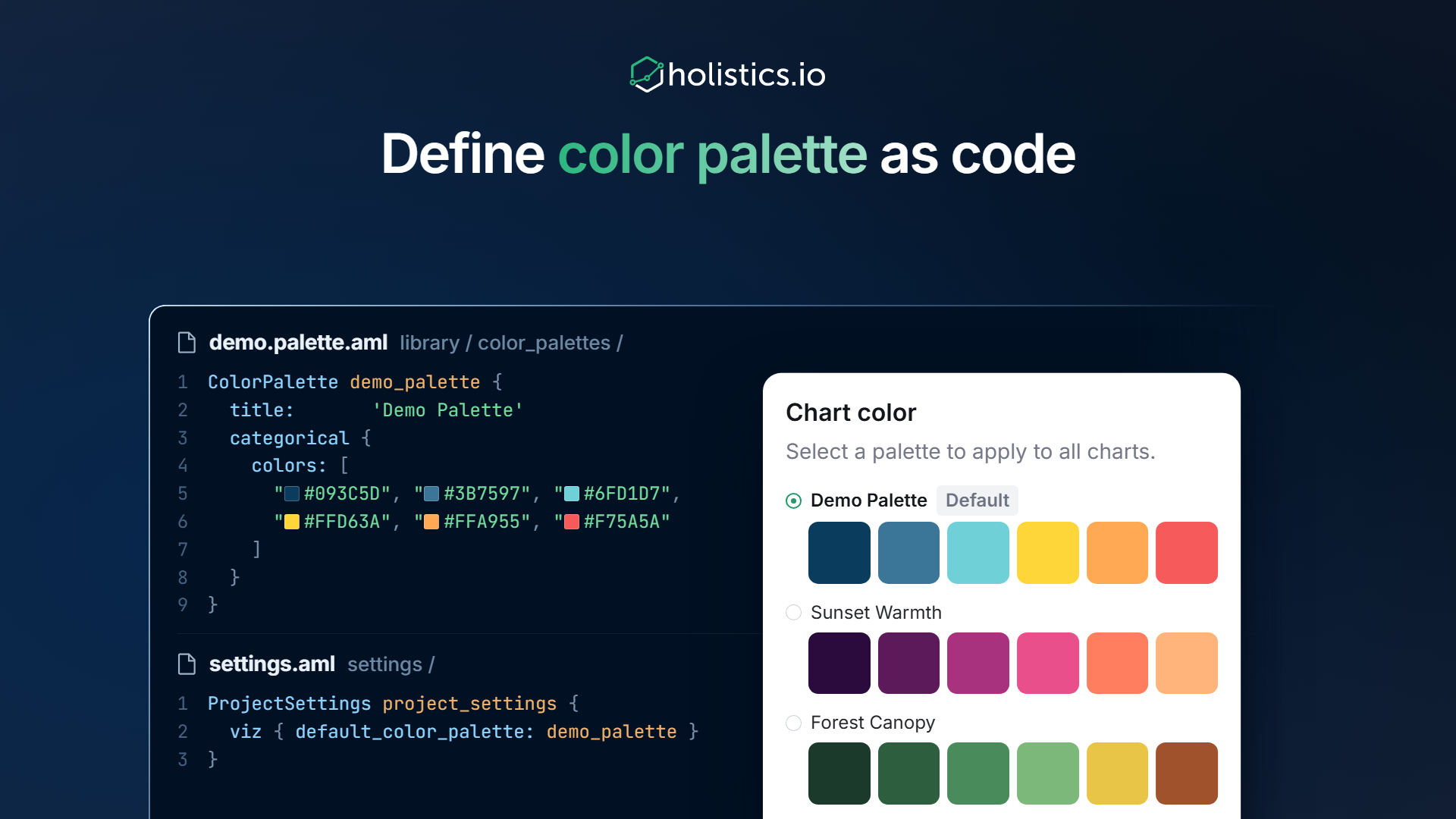
As-Code Color Palettes let you define and manage palettes directly in AML, alongside your data models. Define categorical, sequential, and diverging palettes, reference them at the project, theme, or chart level, and changes propagate everywhere automatically.
With this feature, you can:
- Map data values to specific colors — "Germany" is always blue, "US" is always red — across every chart, no per-chart configuration needed
- Set workspace-wide defaults so new dashboards inherit your brand colors automatically
- Version-control your palettes alongside models and dashboards in the same workflow
✨ AI Development Copilot (Beta)
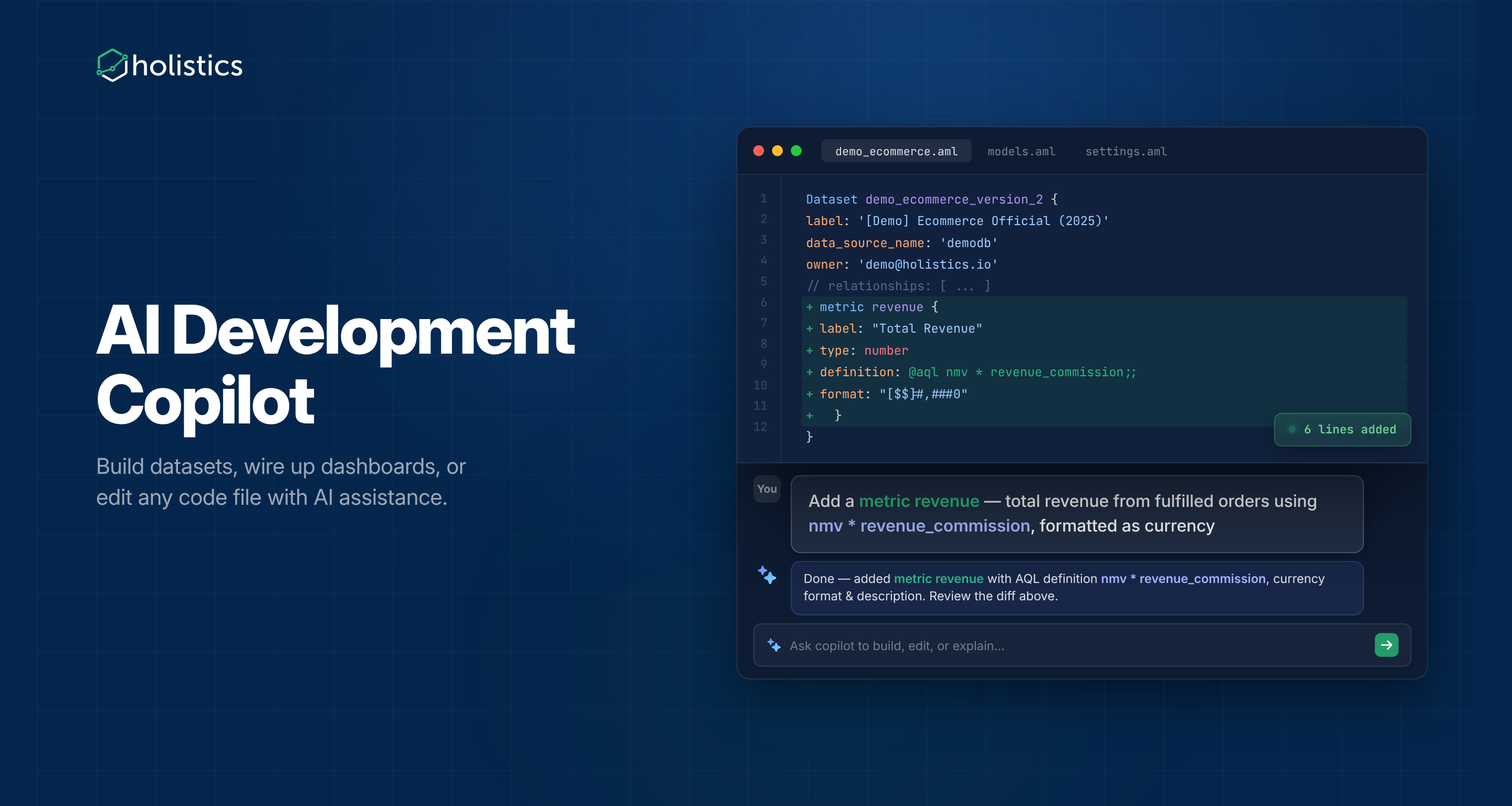
AI Development Copilot is now in beta. Analysts can ask the copilot to build datasets, wire up dashboards, or edit any code file in Development, without leaving the editor.
Previously, building out a semantic layer meant hand-writing AML file by file. The copilot takes care of the repetitive parts: scaffolding models and datasets, adding relationships, translating a sketch into a canvas dashboard, or refactoring a messy field definition.
June UX Updates
A handful of small improvements this month — better color palette editing, sticky panels that stay visible when you scroll, a chart data panel that no longer covers the chart it's describing, and a new right-click shortcut to jump from a dashboard in Reporting straight to its Development view.
None of them headline-worthy on their own, but together they sand down edges you bump into daily.
See the full UX roundup here.
🤝🏾 Holistics Referral Program: Share Holistics, Earn $500
Great tools are meant to be shared, and now you'll get $500 when you do.
If you know anyone who could benefit from a more intuitive analytics platform, send them our way. When someone you refer subscribes to Holistics, we'll send you $500 as a token of our appreciation.
Learn more about our referral program.

Data Engineer turned Product; writes SQL for a living.