Product Updates: Smart AI Follow-ups, Branded AI Chatbot, Dashboard Auto-Run, and More
May 2026 product updates: Smart AI Follow-ups, Branded AI Chatbot, Dashboard Auto-Run, Auto-Abbreviate Numbers, and local agentic AI development.
Wednesday, May 21, 2026
Between promise and reality there's always a hidden gap called precondition.
For example, dating apps promise you the right one. The precondition is that you need to know how to market yourself, be willing to go on at least 20 dates, and be comfortable with answering "what's your favorite color" 20 times a month. You wanted soulmates, here's 30 explicit photos you didn't ask for and another 30 messages left on seen.
The same goes for self-service BI.
The promise is that you don't have to ask data analysts to get answers to your data questions. The precondition is that you're willing to get good enough at analytics tooling to avoid misleading yourself. You wanted answers, here's a strange toolbox, a list of metrics with similar-sounding names and a 1-hour tutorial on how to build a pie chart.
And in the same way that every few years you hear some New York Times article saying "dating apps are dead", and nothing actually changes, self-service BI pulls a Schrödinger, it's dead and alive at the same time. It's alive, because the problem "how do I get answers to my questions" is never going away. It's dead, because the method proves less and less effective. Maybe we need to change the shape of the solution. Maybe instead of asking "How do we make it easier for users to explore data?", we should ask "Why should users have to explore at all?". Maybe agentic BI, doing the analytical work that self-serve BI asked users to do themselves, is the answer.
and maybe soon enough, someone will say "agentic analytics is dead", and we'll try all over again, because such is our nature. To try, to thrive, and not to yield.
This month's release pushes Holistics further in that direction. AI that asks back, local development with AI agents through MCP and a branded AI chatbot for your internal data portal.
Released
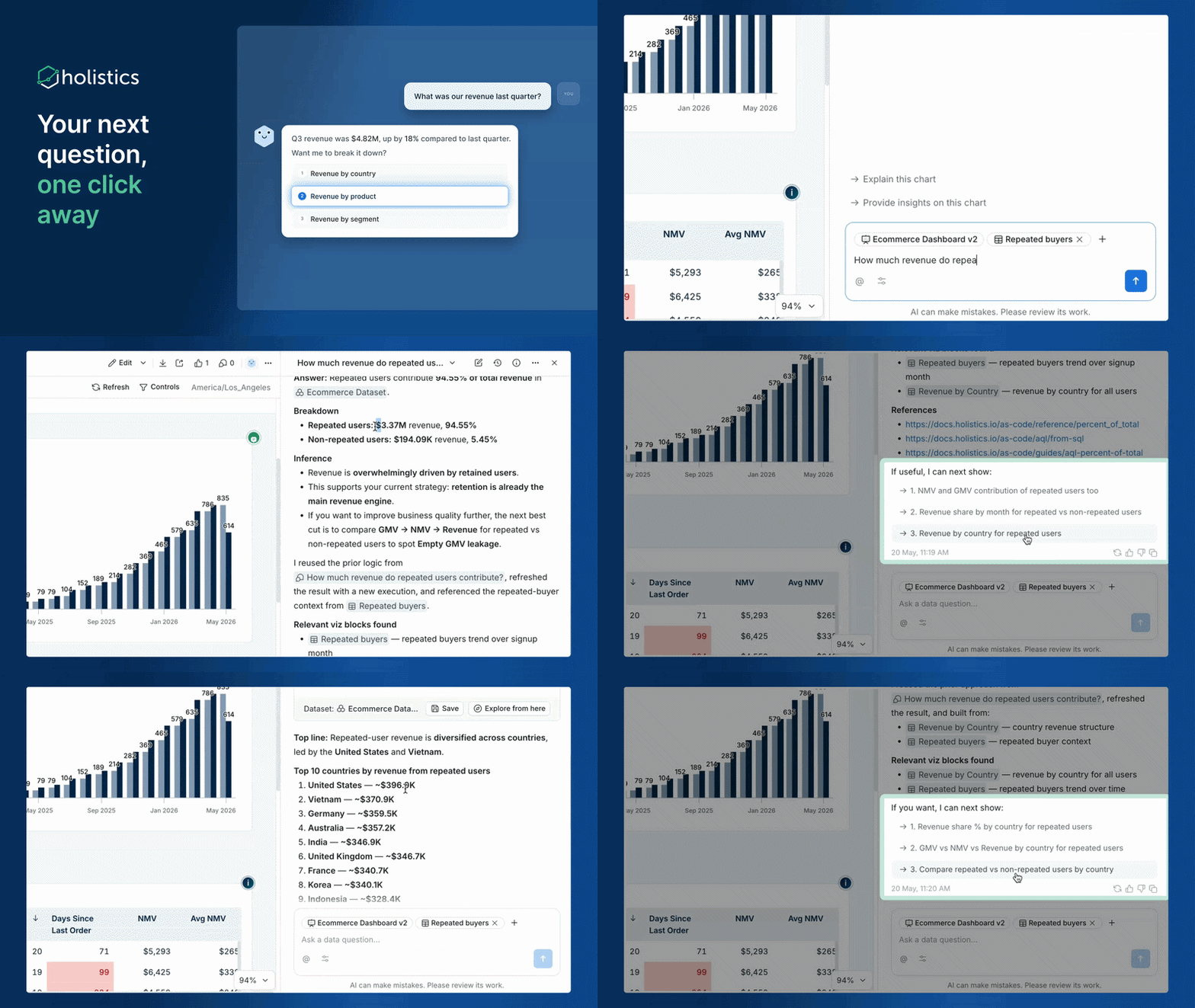
💬 Smart Follow-ups: AI That Asks Before It Answers
Great analysts don't just answer your questions. They challenge your assumptions, ask the clarifying questions that make you realize you're solving the wrong problem, and keep advising long after the number lands — "Sales are up 12%, but it's almost entirely one SKU. Want me to dig into why?"
AI can never fully replace that judgment. But Holistics AI now aspires to get close. Before running the analysis, it asks back — "By region or by product? Including returns? Compared to forecast or last year?" — then suggests what to investigate next. One-shot answers become guided investigations.
With this feature, you can:
- Get clarifying questions upfront so the analysis matches what you actually needed, not what you literally typed
- Receive proactive follow-up suggestions that point to the next thread worth pulling
- Guide non-technical users through analysis without requiring them to know the right questions to ask
See the full demo here.
🎨 Branded AI Chatbot in Your Product
If you embed Holistics analytics in your product, your customers can already explore data inside your app. But the moment they open the AI assistant, the illusion breaks — different name, different styling, generic prompts that don't know your domain.
Now you can white-label every detail: your logo, your assistant's name, your welcome message, and your prompt suggestions. The chatbot looks and feels like it was built by your team.
With this feature, you can:
- Launch a branded AI chatbot inside your embedded analytics module
- Guide users with custom prompts tailored to your product's domain and use cases
- Define everything in AML for version control and per-portal flexibility
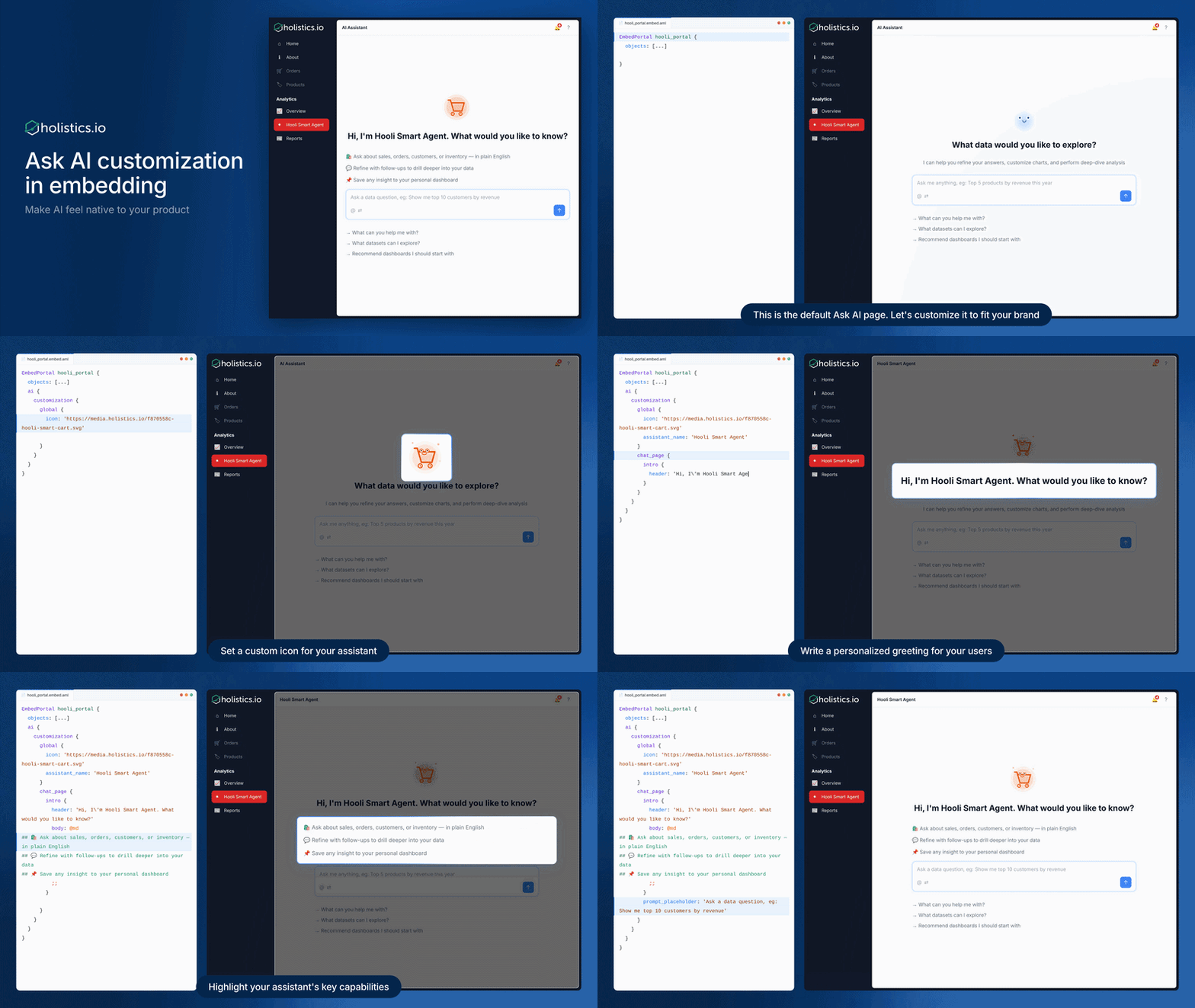
See the full demo here.
⚡ Dashboard Auto-Run on Changes
Every filter change, every control adjustment on a dashboard used to require clicking Apply. Easy to miss, especially for viewers who expect dashboards to respond immediately. You'd change a filter, stare at the same data, wonder if it's broken, then remember the button.
Dashboard auto-run on changes removes that friction. Toggle it on in Dashboard preferences, and your dashboard re-runs automatically on every filter, control, or source visualization change. No button required.
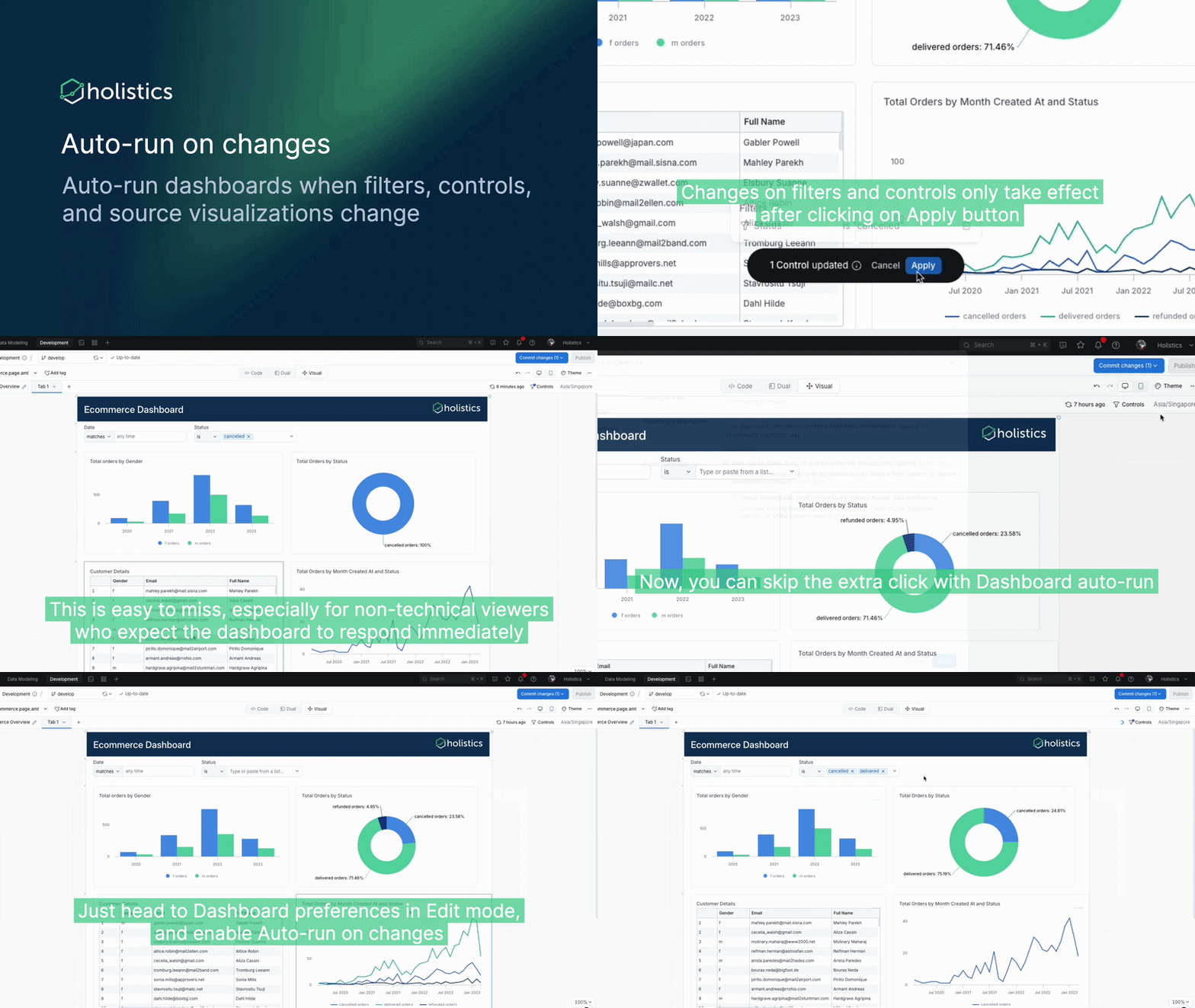
For more details, check out this doc. See the full demo here.
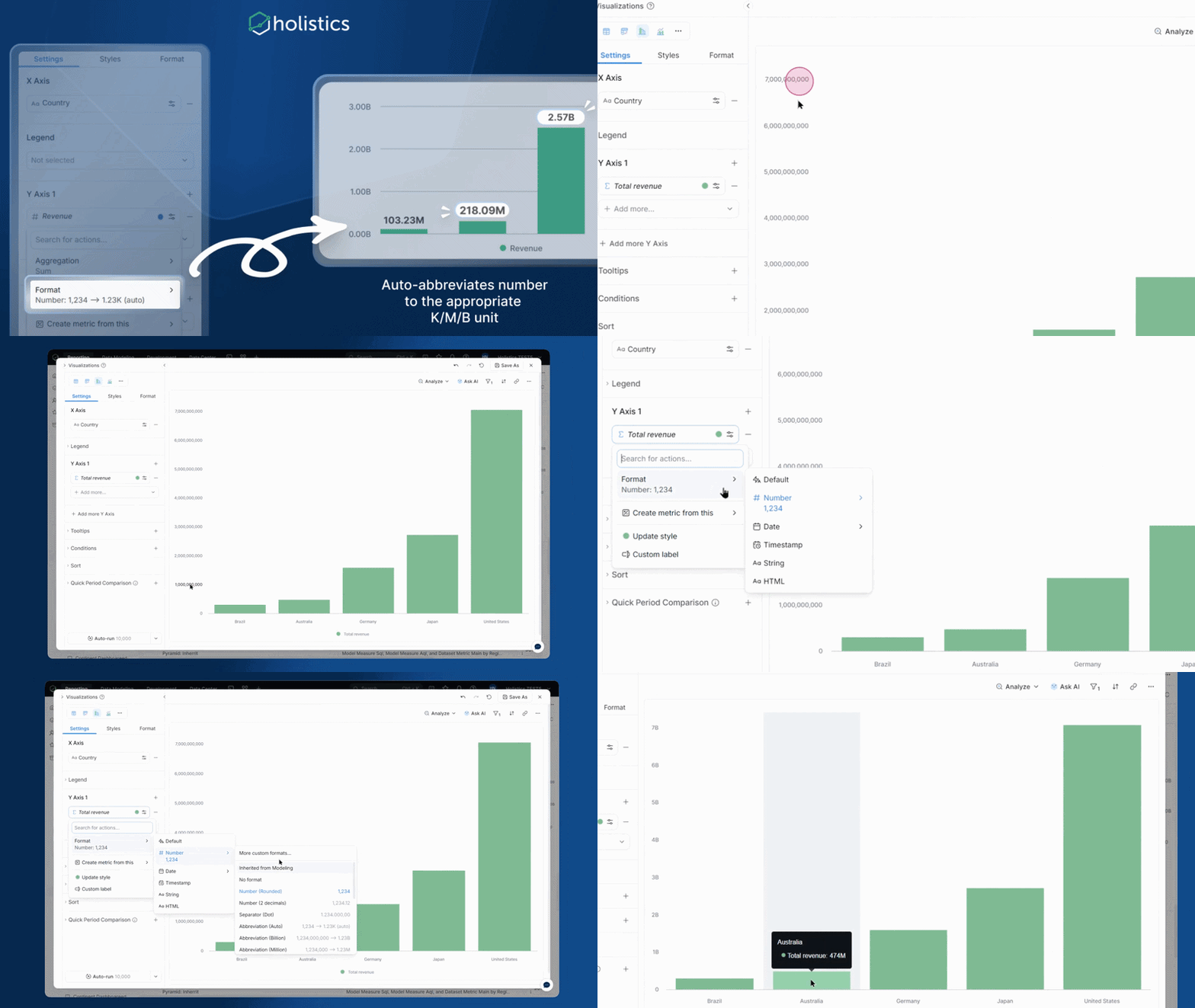
🔢 Auto-Abbreviate Numbers (K/M/B)
If your data spans hundreds to millions in the same column, picking a fixed abbreviation means some values always look off — $0.8K when you meant $800, or $0.01M when you meant $12,000.
Set abbreviation to Auto in your number format configuration, and Holistics picks the right unit per value at render time. $800, $250K, and $12M all display correctly in the same column.
Coming Soon
🛠️ Local Agentic AI Development
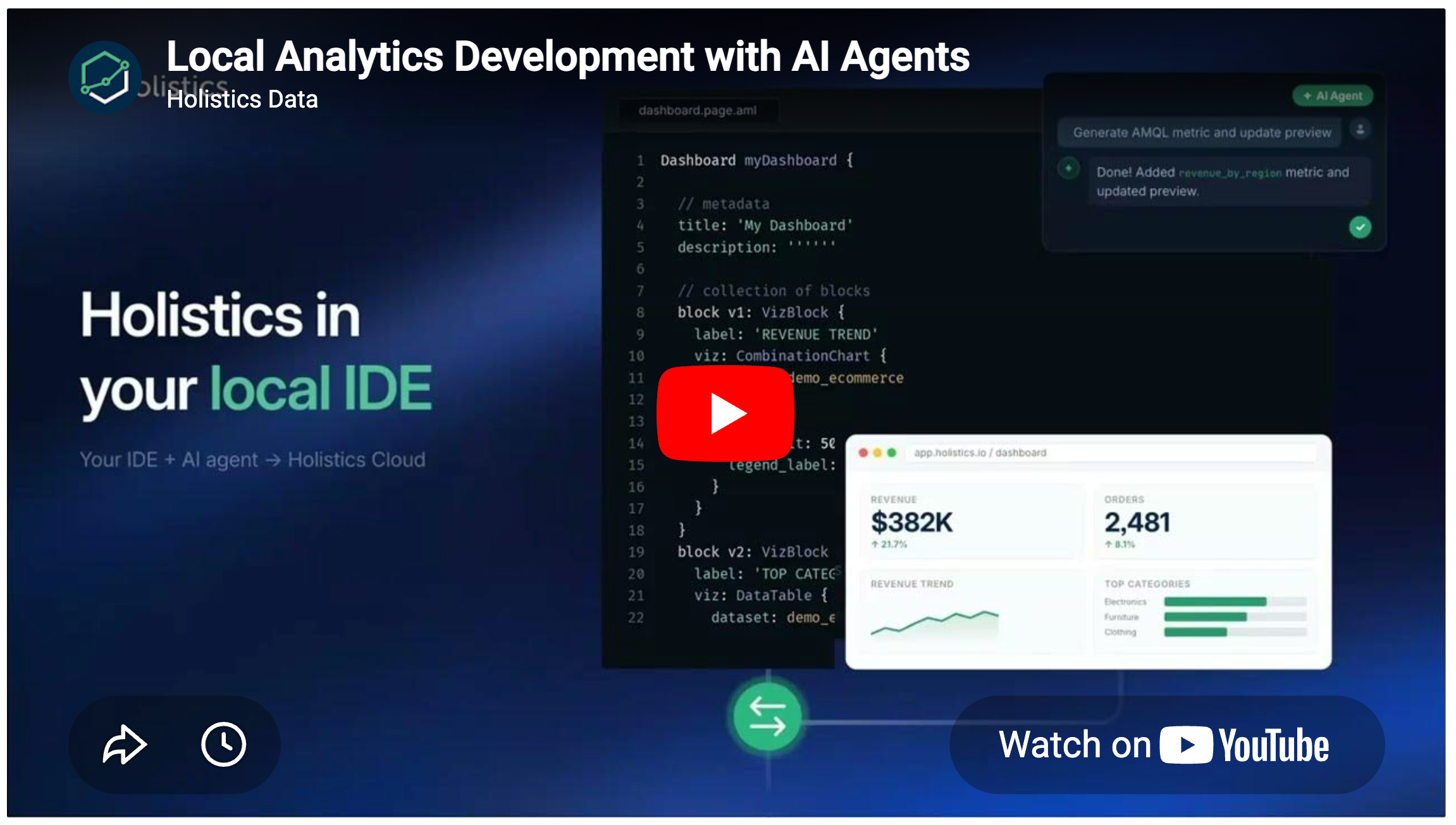
Local Development with AI Agents will let you use the AI tools you already know — Claude Code, Cursor, GitHub Copilot — alongside Holistics through MCP.
Local agents bring richer development tooling: git actions, diffs, auto-complete, and inline code suggestions. Pair that with Holistics' semantic layer via MCP and you get a modeling workflow that stays connected to governed data while feeling like the code editor you're used to.
The new piece in this release is CLI two-way local-to-cloud sync. Run holistics sync-code . once in your terminal. The CLI does an initial sync, then watches for changes. Save locally and the cloud preview updates in seconds. Edit in the web IDE and the change flows back to your local file.
The sync ties together two things we've already shipped:
- Holistics Skills (Claude Code plugin) — the AI agent's reference for AML, AQL, visualization, and analysis.
- Holistics MCP with two surfaces:
holistics(production) andholistics-development(your dev branch). The dev-branch surface lets the agent query unpublished changes, so you can verify metric values from the terminal before merging.
The full loop: write AML in your IDE with the agent, save to see it in cloud, verify in the terminal.
With this feature, you can:
- Work in any IDE — Cursor, VS Code, Claude Code, whatever you already use. No proprietary editor required.
- Skip the commit-push-preview cycle — save the file, the cloud preview updates. The sync session handles it.
- Let the AI agent do the heavy lifting on AML and AQL — Skills give it the reference; MCP gives it live access to your data and your dev branch. The agent can write a metric, validate it, and show you the actual value — without switching tools or merging anything to production.
- Mix cloud and local freely — sync goes both ways.
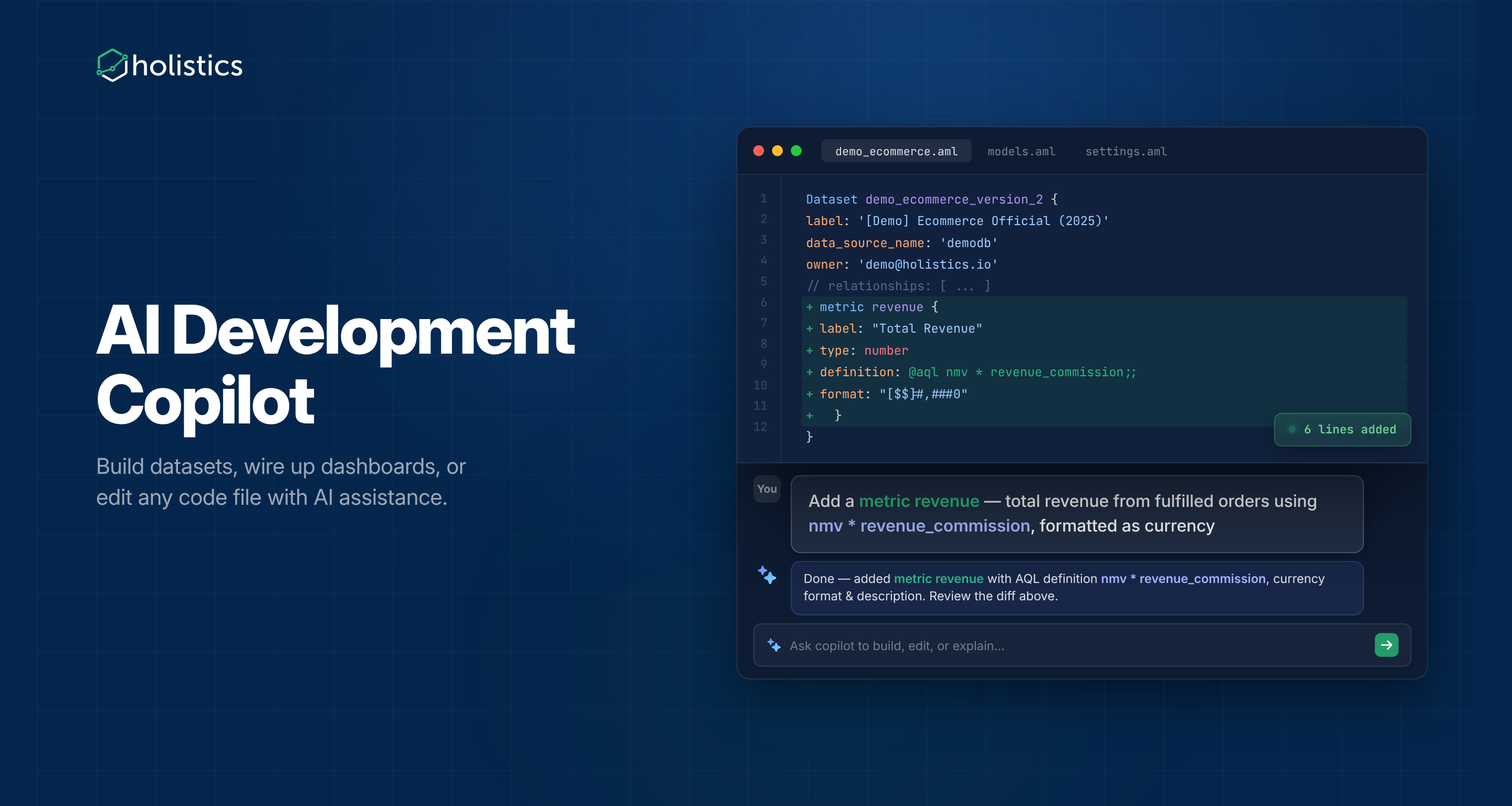
🤖 AI Development Co-pilot (Beta)
Building a semantic layer used to mean hand-writing AML file by file. AI Development Copilot handles the repetitive parts: scaffolding models and datasets, adding relationships, translating a sketch into a canvas dashboard, or refactoring a messy field definition.
Ask the copilot to build datasets, wire up dashboards, or edit any code file — without leaving the editor. You review the diff, tweak, and commit.
Cool Stuff You Might Have Missed
⚙️ AI Skills
If you've used custom skills in AI assistants (like Claude, ChatGPT, or Copilot), you'll get the idea. AI Skills lets you define multiple skill definitions in AML, each scoped to specific teams with its own instructions, data references, and access controls. A finance_skill and an ecommerce_skill can coexist — each with its own terminology, dataset references, and user attribute restrictions controlling who sees what.
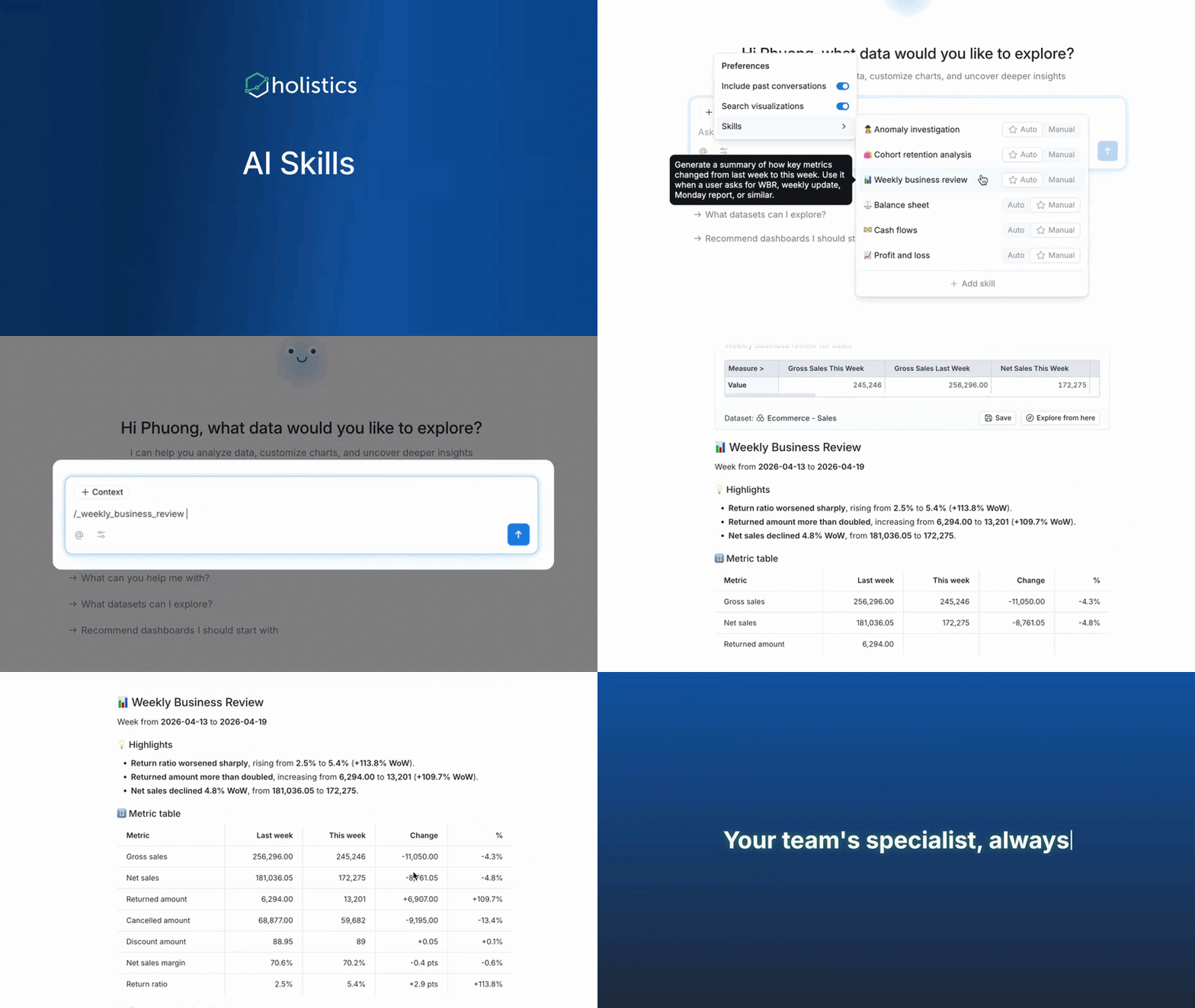
See the full demo here.
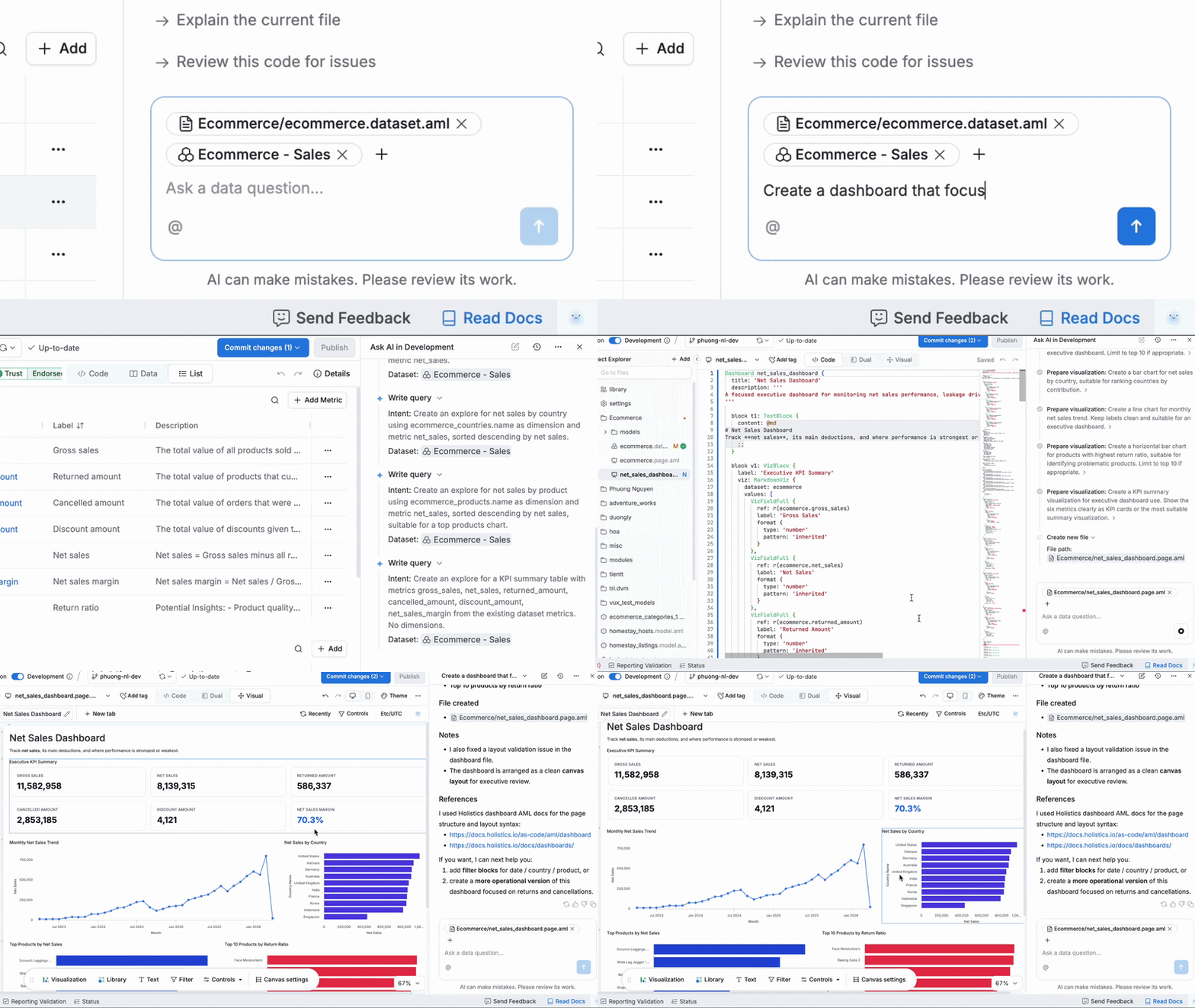
📊 AI Dashboard Building
Holistics AI can generate complete dashboards with multiple visualizations, filters, controls, and layout from a single conversation. Because everything in Holistics is as-code, the AI copilot edits the underlying code directly. That means it natively configures cross-filtering, theming, and layouts - capabilities that require dedicated UI-level support in widget-based platforms but come free when dashboards are code.
Learn more about what Holistics AI can do here.
May UX Updates
A handful of small interface improvements this month — better date picker behavior, cleaner filter displays, improved table scrolling. None of them headline-worthy on their own, but together they sand down edges you bump into daily.
See the full UX roundup here.

Data Engineer turned Product; writes SQL for a living.