Best Power BI Alternatives in 2026: A Practitioner Comparison
In this guide, we’ll break down the top 10 Power BI alternatives and competitors, oft-recommended by BI practitioners within our circles.
Microsoft Power BI is one of the most widely deployed business intelligence platforms globally. It combines desktop-based report authoring (Power BI Desktop), a cloud publishing service (Power BI Service), and a DAX formula language for data modeling. Power BI is strongest inside Microsoft-centric organizations where Azure, SQL Server, and Microsoft 365 form the core data stack.
Teams look for Power BI alternatives for five recurring reasons:
- Microsoft ecosystem lock-in. Power BI Desktop runs only on Windows. Data modeling requires a Windows machine. Teams on macOS, Linux, or non-Microsoft cloud stacks (Snowflake, BigQuery, Postgres) face constant friction.
- No native Git version control. Power BI stores reports as PBIX binary files. Multiple developers editing simultaneously create merge conflicts. Microsoft Fabric's Git integration supports Power BI reports and semantic models only in preview, and it remains immature compared to purpose-built code-first BI tools.
- DAX learning curve. DAX (Data Analysis Expressions) is Power BI's formula language for calculated measures and columns. It is powerful but difficult to learn. Organizations that roll out Power BI for self-service frequently report that business users cannot write DAX and fall back to analyst requests.
- Limited visual customization. While Power BI offers a custom visuals marketplace, dashboard layout flexibility and formatting options are more constrained than tools like Tableau or Sigma Computing.
- Self-service failure. Power BI is built for trained analysts. When organizations deploy it broadly for business-user self-service, adoption often fails because non-technical users cannot navigate DAX, Power Query, or the data model layer without training.
This comparison evaluates 8 Power BI alternatives across the capabilities that matter most when replacing or supplementing Power BI: semantic modeling, self-service exploration, governance, visualization, collaboration, and pricing.
What are the main limitations of Power BI?
Power BI's limitations stem from its architecture as a desktop-first, Microsoft-native tool that was later extended to the cloud.
Desktop-first authoring creates collaboration bottlenecks
Power BI Desktop saves reports as PBIX files — binary packages that cannot be meaningfully diffed or merged. When two analysts edit the same report, one must wait or risk overwriting the other's work. Microsoft Fabric's Git integration (preview) addresses this partially, but the developer experience is still far behind web-native BI tools like Holistics or Looker where multiple users edit concurrently in a shared environment.
DAX is powerful but inaccessible
DAX handles complex calculations — time intelligence, running totals, context transitions — but the syntax is unfamiliar to SQL users and impenetrable to business users. Organizations that expect self-service from Power BI often discover that DAX becomes the bottleneck: every new metric requires an analyst who knows the language.
No centralized, platform-wide semantic layer
Power BI's semantic model (formerly "dataset") is scoped to individual workspaces. Unlike platforms with a centralized semantic layer (Holistics AML, Looker LookML), Power BI does not enforce a single source of truth across all reports. Different PBIX files can define the same metric differently, leading to metric inconsistency at scale.
Pricing complexity
Power BI offers multiple licensing tiers: Free ($0), Pro ($14/user/month), Premium Per User ($24/user/month), and Fabric capacity. Microsoft stopped selling Premium Capacity (P SKUs) to new customers in July 2024; its successor, Fabric F64 capacity, costs about $5,000/month on a one-year reservation or about $8,400/month pay-as-you-go. The distinction between Pro, PPU, and Fabric capacity is confusing, and organizations frequently underestimate total cost when scaling beyond a small team.
What should a Power BI alternative offer?
A strong Power BI alternative should solve Power BI's architectural limitations — Windows dependency, PBIX collaboration conflicts, DAX complexity — while preserving its strengths in visualization, broad data connectivity, and enterprise scalability.
Semantic modeling layer
Power BI's DAX-based data model is workspace-scoped, not platform-wide. Alternatives with a centralized semantic layer — Holistics (AML/AMQL), Looker (LookML), Lightdash (dbt YAML) — enforce metric definitions once and apply them across all reports and dashboards. This prevents the metric drift that occurs when different Power BI workspaces define the same KPI differently.
Self-service exploration
Self-service analytics fails when users cannot find data, cannot trust it, or cannot shape it into the answer they need. A Power BI alternative should offer:
- Drag-and-drop exploration within governed boundaries — no DAX required
- One-click common calculations (period-over-period, running totals, percent-of-total)
- Cross-filtering, drill-down, and drill-through for follow-up questions
- AI-assisted querying against a governed semantic layer
In Power BI, common calculations like period-over-period require custom DAX measures. Holistics, ThoughtSpot, and Sigma Computing provide these as built-in, point-and-click operations.
Governance and version control
Governance covers role-based access control (RBAC), row-level security, audit trails, and usage monitoring. For data teams that value engineering discipline, Git-based version control is essential — the ability to track changes, review pull requests, and roll back mistakes in code.
Holistics offers native Git integration with CI/CD across models, datasets, and dashboards. Looker provides Git-native LookML workflows. Lightdash inherits Git through dbt. Power BI's Fabric Git integration remains in preview and does not cover the full report lifecycle.
Visualization and dashboarding
Power BI's visualization library is broad but layout flexibility is limited. If visualization customization is a priority, evaluate chart types, theming, and dashboard layout options. Tableau leads on visual expressiveness. Holistics' Canvas Dashboards offer narrative-style layouts. Sigma Computing provides spreadsheet-like interactivity with live warehouse data.
Cross-platform and collaboration
Power BI Desktop is Windows-only. Alternatives should be fully web-native, allowing developers on macOS, Linux, or Windows to collaborate in the same environment without file handoffs. Holistics, Looker, Sigma, and ThoughtSpot are entirely browser-based.
Pricing transparency
Power BI's tiered licensing (Free/Pro/PPU/Fabric capacity) makes cost forecasting difficult. Evaluate alternatives on per-user pricing clarity, role-based tier discrimination, minimum commitments, and embedded analytics licensing.
What are the best Power BI alternatives?
1. Holistics — code-based semantic layer with governed self-service
Holistics is a web-native BI platform with a code-based semantic modeling layer (AML/AMQL), Git version control, and governed self-service exploration. It is the strongest Power BI alternative for teams that want analytics-as-code workflows without Microsoft lock-in.

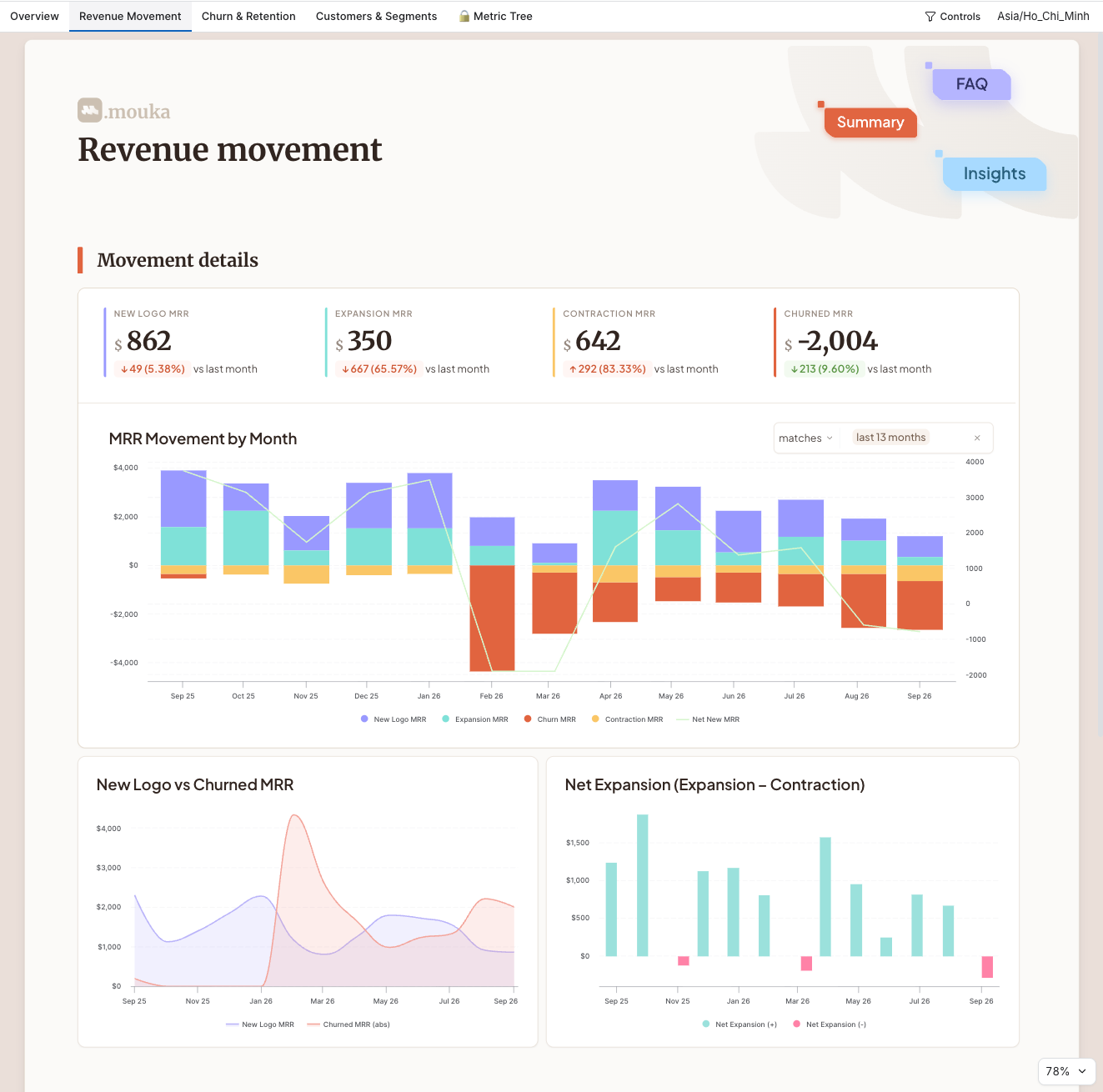
How Holistics compares to Power BI:
| Capability | Power BI | Holistics |
|---|---|---|
| Semantic layer | DAX (workspace-scoped) | AML/AMQL (centralized, with static typing and module system) |
| Complex metrics | Custom DAX measures | AMQL handles running totals, percent-of-total, nested aggregations natively |
| Authoring model | Desktop-based (PBIX), publish to cloud | Web-native — visual and code editing, plus dashboard-as-code |
| Git integration | Fabric Git (preview) | Native Git with CI/CD across models, datasets, and dashboards |
| Self-service | Requires DAX/Power Query knowledge | Drag-and-drop with 1-click period-over-period, cross-filtering, drill-through |
| Collaboration | PBIX file handoffs | Parallel editing in shared cloud workspace |
| Platform | Windows-only (Desktop) | Browser-based — macOS, Linux, Windows |
| Embedded analytics | Complex licensing tiers | Built-in embedding with white-labeling, row-level permissions |
Pricing: Usage-based. Paid plans start from $800/month. Standard plan: $1,000/month (annual) for 10 users, $12.50/month per additional user. Every user gets full platform access — no role-based tier discrimination.
Compared to Power BI's pricing: A 50-user deployment on Holistics Standard costs approximately $18,000/year. The equivalent Power BI Pro deployment costs $8,400/year ($14/user/month). However, Power BI Premium Per User ($24/user/month) for advanced features costs $14,400/year — and organizations that need Fabric F64 capacity (the successor to Premium Capacity, e.g. so viewers don't need their own license) pay about $5,000/month (roughly $60,000/year on a one-year reservation) regardless of user count. Total cost depends on the features required, not just the per-user rate.
Best fit: Data teams at 50–500 person companies on cloud-native stacks (Snowflake, BigQuery, Postgres) that want governed self-service without DAX complexity or Windows dependency. Teams building embedded analytics. Organizations that value Git workflows and CI/CD in their BI stack.
Limitations: Learning curve for teams coming from GUI-only tools. Visualization polish is functional rather than flashy — teams that prioritize visual design may prefer Tableau. Smaller community and marketplace compared to Power BI.
2. Tableau — industry-leading visualization and exploration
Tableau is a visual analytics platform known for its drag-and-drop exploration interface and chart library depth. Acquired by Salesforce in 2019, it remains the benchmark for data visualization quality and interactive dashboards.
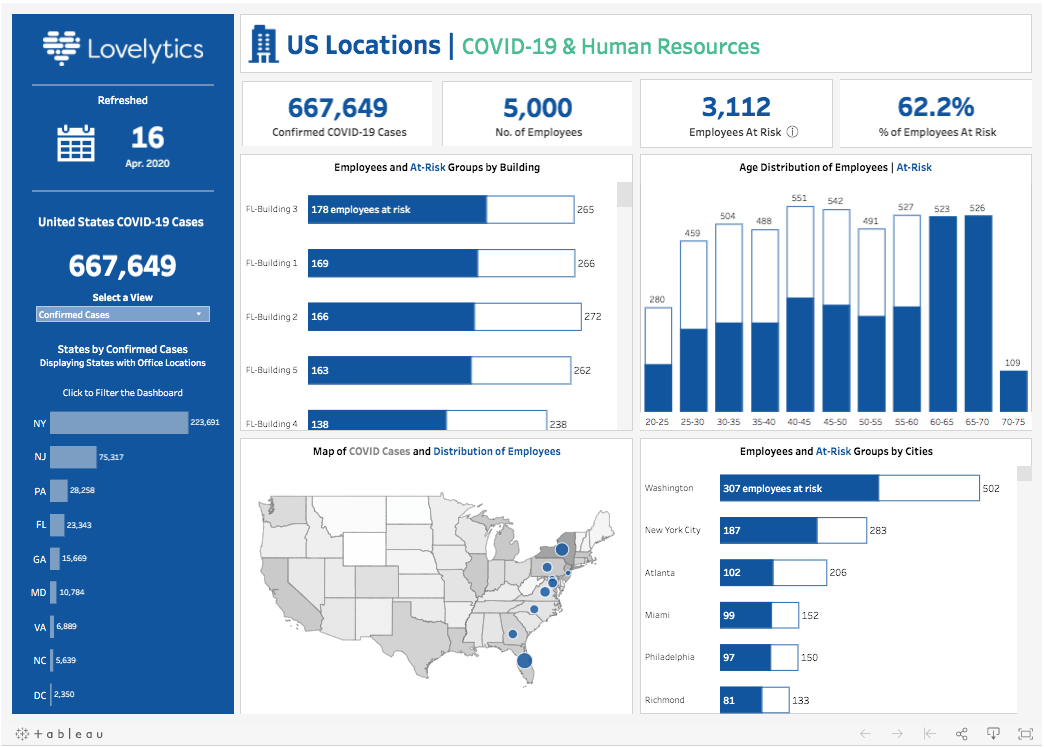
How Tableau compares to Power BI:
| Capability | Power BI | Tableau |
|---|---|---|
| Visualization | Broad library, limited layout flexibility | Industry-leading chart types and custom formatting |
| Data modeling | DAX (formula-based) | Calculated fields + data relationships (simpler than DAX) |
| Self-service | Report builder + Q&A | Drag-and-drop exploration (strongest in category) |
| Collaboration | PBIX files, Power BI Service | Tableau Cloud/Server with web authoring |
| AI features | Copilot (GPT-based) | Ask Data, Tableau Pulse, Einstein AI |
| Ecosystem | Microsoft-native | Salesforce-native, broad connectors |
Pricing: Tableau Creator: $75/user/month. Tableau Explorer: $42/user/month. Tableau Viewer: $15/user/month. Enterprise pricing with custom quotes available.
Best fit: Organizations that prioritize visualization quality and interactive data exploration. Analytics teams that need advanced visual storytelling for executive reporting. Salesforce-integrated enterprises.
Limitations: Higher per-user cost than Power BI. No centralized semantic layer — calculated fields are workbook-scoped, similar to Power BI's workspace-scoped DAX. Version control is limited (Tableau lacks native Git integration). Requires Tableau Desktop (paid) for full authoring — web authoring is more limited.
3. Looker — enterprise semantic layer with LookML governance
Looker is Google Cloud's enterprise BI platform, built around LookML — a proprietary modeling language that defines metrics, dimensions, and business logic centrally. It pioneered the "model once, use everywhere" approach and remains one of the most governed BI tools available.
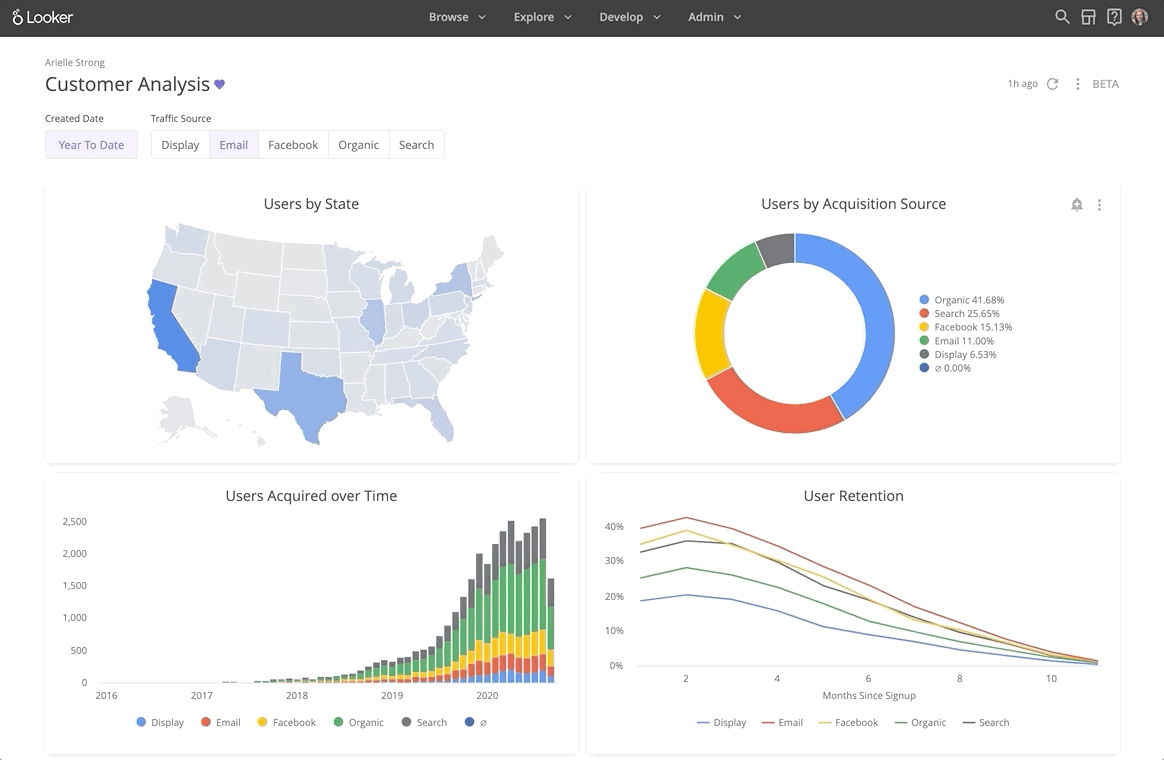
How Looker compares to Power BI:
| Capability | Power BI | Looker |
|---|---|---|
| Semantic layer | DAX (workspace-scoped) | LookML (centralized, platform-wide) |
| Version control | Fabric Git (preview) | Native Git (mature) |
| Self-service | Report builder + DAX | Explore interface on governed LookML models |
| Authoring model | Desktop-first | Web-native, code-based |
| Ecosystem | Microsoft/Azure | Google Cloud |
| Visualization | Rich library | Functional but limited customization |
Pricing: Looker Standard starts at $35,000–$60,000/year for 10 Standard + 2 Developer users. Enterprise contracts average ~$150,000/year (per Vendr analysis of 355 deals). Per-user add-ons range from $400/year (Viewer) to $1,665/year (Developer).
Best fit: Enterprise data teams that need strict semantic governance and are invested in Google Cloud. Organizations where metric consistency across all reports is the top priority. Teams with dedicated analytics engineers who can manage LookML.
Limitations: High cost — 3x to 10x more expensive than Power BI Pro for equivalent team sizes. LookML requires specialist skills and becomes file-heavy at scale. Complex calculations (running totals, nested aggregations) often require derived tables that break the governed layer. Google Cloud alignment may create friction for multi-cloud organizations.
4. ThoughtSpot — AI-powered search-driven analytics
ThoughtSpot is a self-service analytics platform built around natural language search. Users type questions in plain language and get instant visual answers without writing SQL, DAX, or navigating pre-built reports. (For replacements, see our ThoughtSpot alternatives guide.)
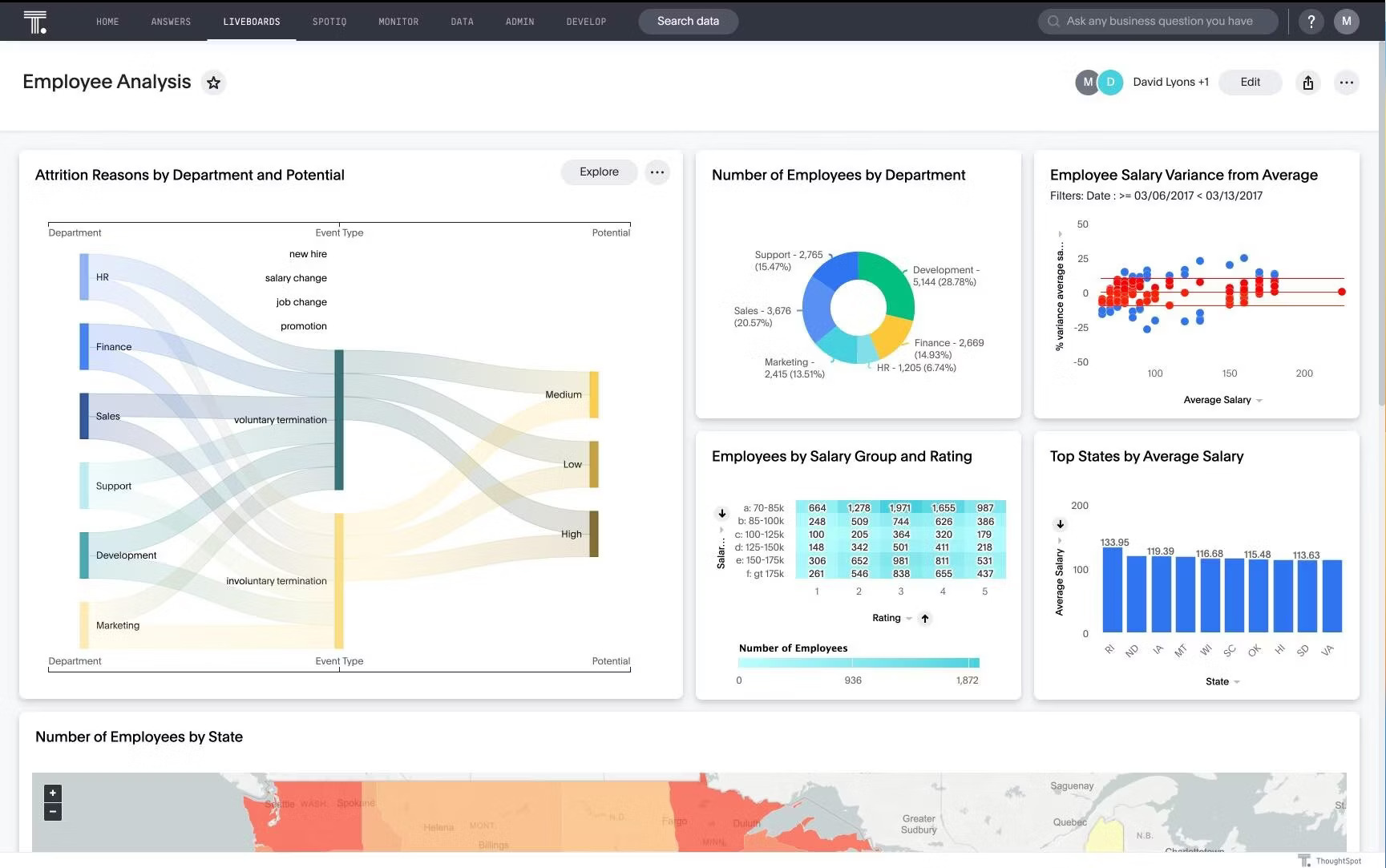
How ThoughtSpot compares to Power BI:
| Capability | Power BI | ThoughtSpot |
|---|---|---|
| Primary interface | Report builder + Q&A | Natural language search + AI agent (Spotter) |
| Self-service | Requires DAX/Power Query training | Type a question, get an answer |
| Semantic layer | DAX (workspace-scoped) | Worksheet-based modeling |
| AI assistance | Copilot | Spotter (AI agent), SpotIQ insights |
| Visualization | Rich library | AI-generated visuals, Liveboards |
| Learning curve | Steep (DAX) | Shallow for end users |
Pricing: Starts at $1,250/month. Average annual contract: ~$140,000 (per Vendr data). Enterprise pricing with custom quotes.
Best fit: Organizations with many non-technical users who need ad-hoc answers fast — the exact use case where Power BI's self-service tends to fail. Enterprises willing to invest in data modeling upfront to power accurate search results.
Limitations: Requires well-structured data schemas for accurate search. Complex multi-step analyses are harder than in SQL-native tools. Enterprise pricing is a barrier for smaller organizations. No Git-based version control. Semantic modeling is less expressive than LookML or AML.
5. Sigma Computing — spreadsheet-like interface on cloud warehouses
Sigma Computing puts a spreadsheet interface directly on live cloud data warehouse data (Snowflake, BigQuery, Redshift). It targets organizations where Excel is the primary analytical tool — making it a natural Power BI alternative for teams frustrated by DAX complexity.
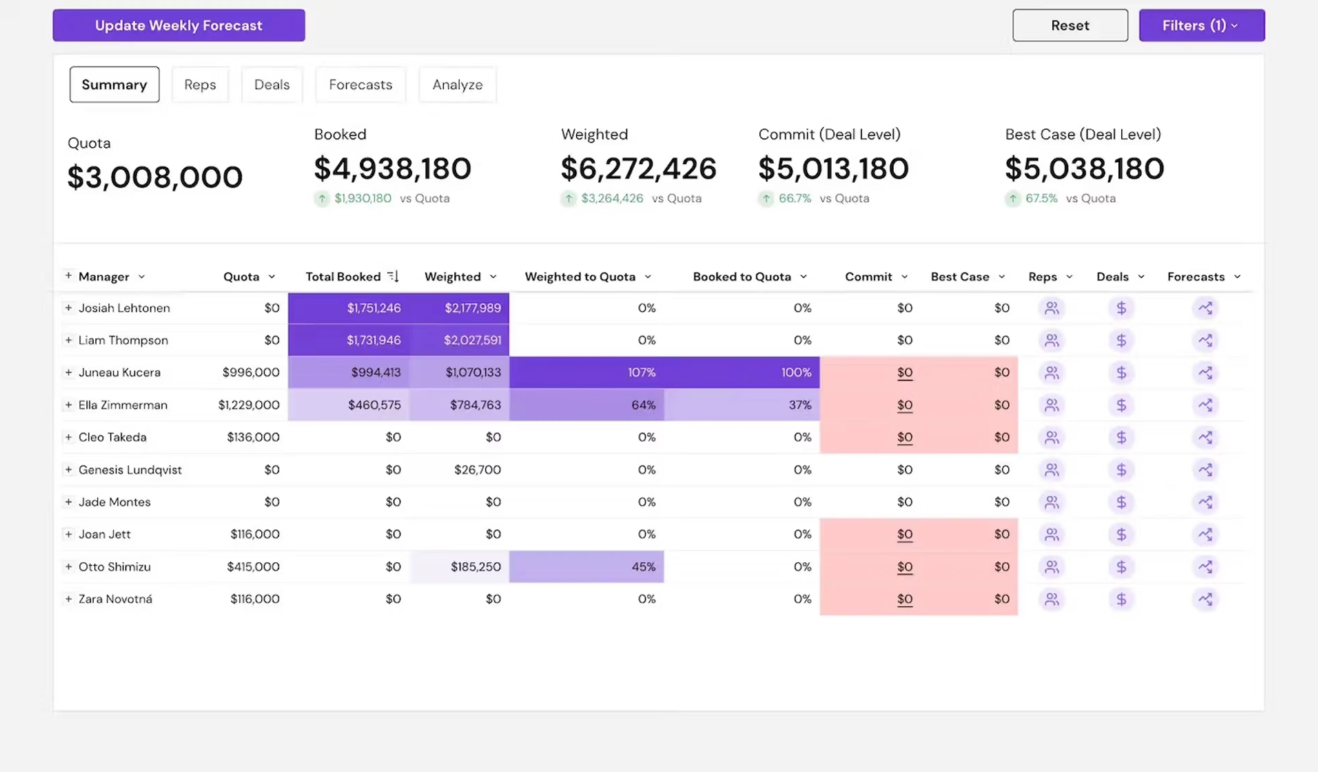
How Sigma compares to Power BI:
| Capability | Power BI | Sigma Computing |
|---|---|---|
| Primary interface | Report builder | Spreadsheet-like (Excel patterns on live data) |
| Data modeling | DAX formula language | Spreadsheet formulas + SQL + Python |
| Collaboration | PBIX file handoffs | Real-time multi-user editing |
| Learning curve | Steep (DAX, Power Query) | Shallow for Excel users |
| Platform | Windows-only (Desktop) | Browser-based |
| Visualization | Rich library | Charts + interactive data tables |
Pricing: Base platform fee of approximately $30,000/year (per community discussions), with unlimited Viewer licenses. Additional $1,000/year per Developer/Explorer role.
Best fit: Organizations with Excel-heavy cultures that want cloud-native analytics without the DAX learning curve. Teams where real-time collaboration on datasets is a priority. Finance and operations teams migrating from Power BI Desktop.
Limitations: Visualization options are more basic than Tableau or Power BI. Semantic layer capabilities are evolving but not yet as deep as Holistics AML or Looker LookML. Governance features are still maturing. Less suitable for teams that need strict metric governance across all reports.
6. Metabase — open-source BI for fast deployment
Metabase is an open-source BI tool built for simplicity. It connects directly to databases and lets users query data through a visual interface or SQL, with minimal setup. Metabase is the strongest Power BI alternative for small teams that need a BI tool immediately with minimal budget.
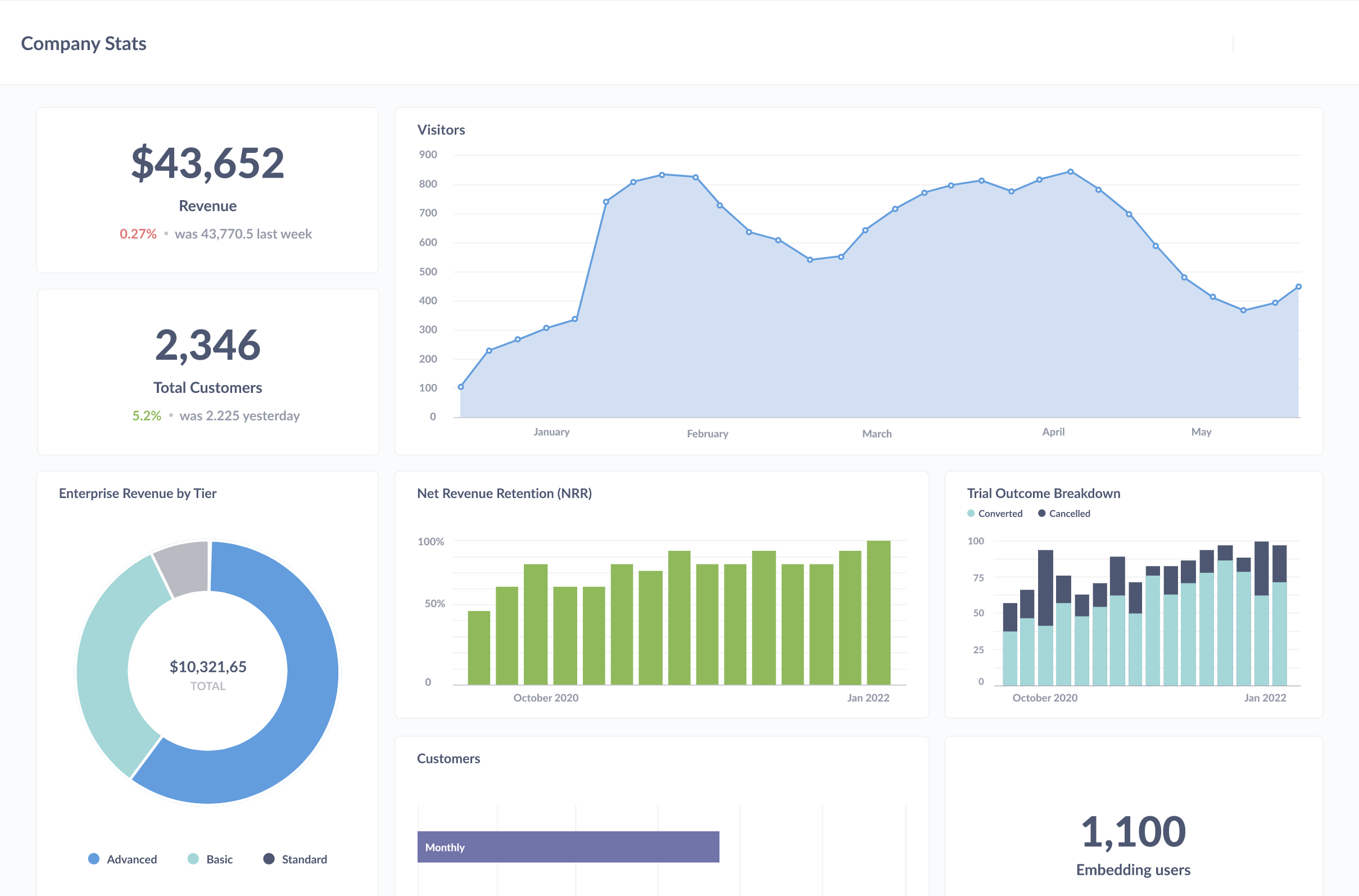
How Metabase compares to Power BI:
| Capability | Power BI | Metabase |
|---|---|---|
| Semantic layer | DAX (workspace-scoped) | None natively (Cube.dev integration optional) |
| Self-service | Report builder, Q&A | Visual query builder + SQL |
| Setup time | Requires Desktop install + cloud config | Minutes (Docker or cloud) |
| Governance | Enterprise-grade RBAC | Basic in open-source; enterprise in paid edition |
| Version control | Fabric Git (preview) | None |
| Cost | $14/user/mo (Pro) | Free self-hosted; $85/mo cloud |
Pricing: Free for self-hosted open-source. Cloud plans from $85/month. Enterprise edition with advanced governance at custom pricing.
Best fit: Startups and small teams (under 50 people) that need BI immediately. Engineering and product teams comfortable with SQL. Organizations deploying their first BI tool before governance requirements materialize.
Limitations: No centralized semantic layer — metric definitions drift as the organization grows. No Git-based version control. Performance degrades with large datasets (live queries to database). Limited self-service beyond consuming pre-built dashboards. Teams that outgrow Metabase typically hit three walls: inconsistent metrics, no audit trails, and business users who need more than filtered dashboards.
7. Lightdash — open-source, dbt-native BI
Lightdash is an open-source BI tool that uses dbt's YAML metric definitions as its semantic layer. It is purpose-built for data teams that have already invested in dbt for data transformation and want a BI layer that extends their existing workflow.
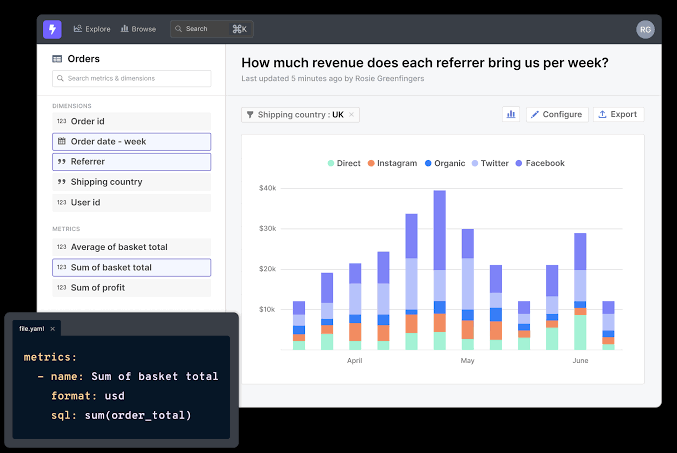
How Lightdash compares to Power BI:
| Capability | Power BI | Lightdash |
|---|---|---|
| Semantic layer | DAX (workspace-scoped) | dbt YAML (open-source, centralized) |
| Authoring model | Desktop-based | Web-native |
| Version control | Fabric Git (preview) | Git-native through dbt |
| Self-service | Report builder + DAX | Exploration UI on dbt metrics |
| Platform | Windows-only (Desktop) | Browser-based |
| Embedded analytics | Complex licensing | Limited capabilities |
Pricing: Free to self-host. Cloud plans from $600/month. Enterprise pricing available.
Best fit: dbt-first data teams that want BI extending their existing dbt workflow. Teams that value open-source flexibility and Git-native governance. Organizations where analytics engineers are the primary dashboard builders.
Limitations: Requires dbt — teams without dbt cannot benefit from Lightdash's architecture. Business-user self-service is weaker than Holistics or Power BI — Lightdash is designed for technical users comfortable with dbt concepts. Visualization options and UI polish are still maturing. Limited embedded analytics capabilities.
8. Sisense — embedded analytics platform
Sisense is positioned as an embedded analytics platform, targeting product teams that want to embed dashboards and data experiences into SaaS applications. It competes with Power BI most directly in embedded analytics use cases. (For replacements, see our Sisense alternatives guide.)
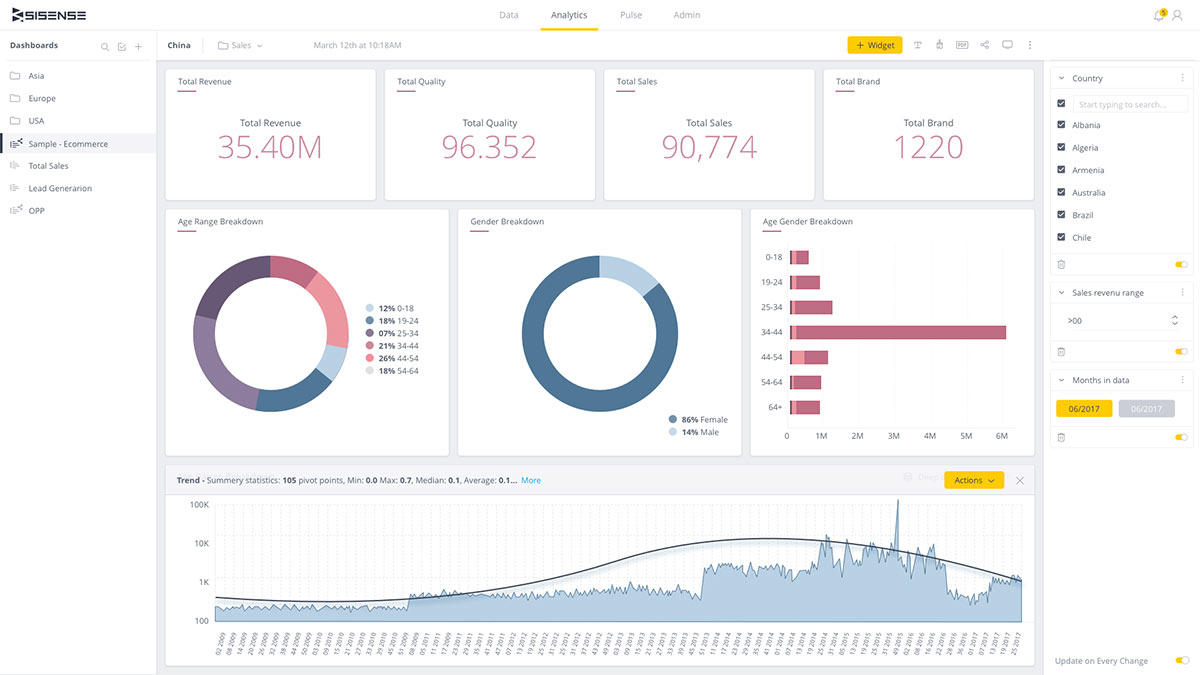
How Sisense compares to Power BI:
| Capability | Power BI | Sisense |
|---|---|---|
| Primary use case | Internal BI + embedded | Embedded-first analytics |
| Data engine | Import mode or DirectQuery | ElastiCube (in-memory) + live connections |
| Embedded approach | Complex tiered licensing | Turnkey embedding with widgets |
| Governance | DAX-based data model | GUI-driven data modeling |
| Version control | Fabric Git (preview) | Limited |
| Platform | Windows (Desktop) + cloud | Browser-based |
Pricing: Not publicly listed. Based on available research, pricing starts at approximately $21,000/year. Custom quotes required.
Best fit: Product teams embedding analytics into customer-facing SaaS applications. Organizations that want a turnkey embedded solution without Power BI's complex embedded licensing. Teams willing to manage ElastiCube infrastructure for query performance.
Limitations: ElastiCube requires server resources and ongoing management. No transparent public pricing. Limited Git-based version control. Setup and configuration time can be significant. Community and ecosystem are smaller than Power BI or Tableau.
How do Power BI alternatives compare?
| Tool | Semantic Layer | Self-Service | Git/Version Control | AI Features | Starting Price | Best For |
|---|---|---|---|---|---|---|
| Holistics | AML/AMQL (centralized) | Governed drag-and-drop | Native Git + CI/CD | AI exploration | $800/mo | Governed self-service without Microsoft lock-in |
| Tableau | Calculated fields (workbook-scoped) | Drag-and-drop (best in class) | None | Ask Data, Pulse | $75/user/mo | Visualization quality and exploration |
| Looker | LookML (centralized) | Explore interface | Native Git | Gemini | $35K+/yr | Enterprise semantic governance on Google Cloud |
| ThoughtSpot | Worksheet-based | NL search + AI | None | Spotter (AI agent) | $1,250/mo | Non-technical users, ad-hoc queries |
| Sigma | Evolving | Spreadsheet-like | Limited | AI analysis | ~$30K/yr base | Excel-heavy organizations |
| Metabase | None (Cube.dev optional) | Visual query + SQL | None | Basic | Free / $85/mo | Small teams, fast deployment |
| Lightdash | dbt YAML | dbt-native exploration | Git (via dbt) | Limited | Free / $600/mo | dbt-first data teams |
| Sisense | GUI-based | Embedded widgets | Limited | AI analytics | ~$21K/yr | Embedded analytics for SaaS |
How to choose a Power BI alternative
The best Power BI alternative depends on why Power BI is not working for your team:
- If Power BI's self-service failed for non-technical users and you want governed analytics-as-code: Holistics provides a centralized semantic layer (AML/AMQL), native Git version control, and drag-and-drop self-service — without DAX, without PBIX files, and without Windows dependency. It is 65-80% less expensive than Looker for comparable team sizes.
- If visualization quality is the top priority: Tableau offers the deepest chart library and most flexible dashboard formatting. It costs more per user than Power BI but less than Looker.
- If you need strict enterprise semantic governance on Google Cloud: Looker's LookML provides the most mature centralized semantic layer. Expect $35,000–$150,000/year depending on team size.
- If non-technical users need to ask ad-hoc questions without training: ThoughtSpot's natural language search eliminates the DAX learning curve entirely. Enterprise pricing starts at ~$140,000/year.
- If your team is Excel-heavy and DAX feels too complex: Sigma Computing's spreadsheet interface on live warehouse data is the most natural migration path from Power BI Desktop.
- If you need something simple and free for a small team: Metabase deploys in minutes and costs nothing to self-host. You will outgrow it when you need governance or consistent metric definitions.
- If your stack is dbt-first and you want open-source: Lightdash extends your existing dbt workflow without a separate modeling paradigm.
- If you need embedded analytics without Power BI's licensing complexity: Evaluate Holistics (code-based, transparent pricing) and Sisense (turnkey embedding, in-memory engine) based on your technical preferences and budget.

Data Engineer turned Product; writes SQL for a living.