Semantic Layers: Tools, Design, and What They Really Are


Contents
A Short History of Semantic Layer
I've been building data products for 10 years, and for most of that time, the semantic layer felt like one of those ideas that everyone vaguely agreed was important, but no one was quite sure where it belonged. It existed. It worked. And then it mostly stayed out of the conversation.
That changed in 2021, when semantic layers suddenly became the belle of the ball.
A few things happened in quick succession.
Transform raised $24.5M to build a dedicated metrics layer, basically betting that “define once, reuse everywhere” was going to become infrastructure, not a feature. dbt’s co-founder floated the idea of incorporating metrics into dbt itself in a GitHub post, which was the kind of small, nerdy moment that ends up mattering a lot because they later launched their semantic layer in 2022 and acquired Transform in 2023. Airbnb published a detailed write-up on Minerva, their internal metrics layer, showing what “metrics at scale” looks like when you can afford to build it. And Benn Stancil — who founded Mode, which was acquired by Thoughtspot in 2024 — helped crystallize the problem by calling the semantic layer the missing component of the modern data stack: we had warehouses, we had transformations, and we still didn’t have a consistent way to define what the business meant.
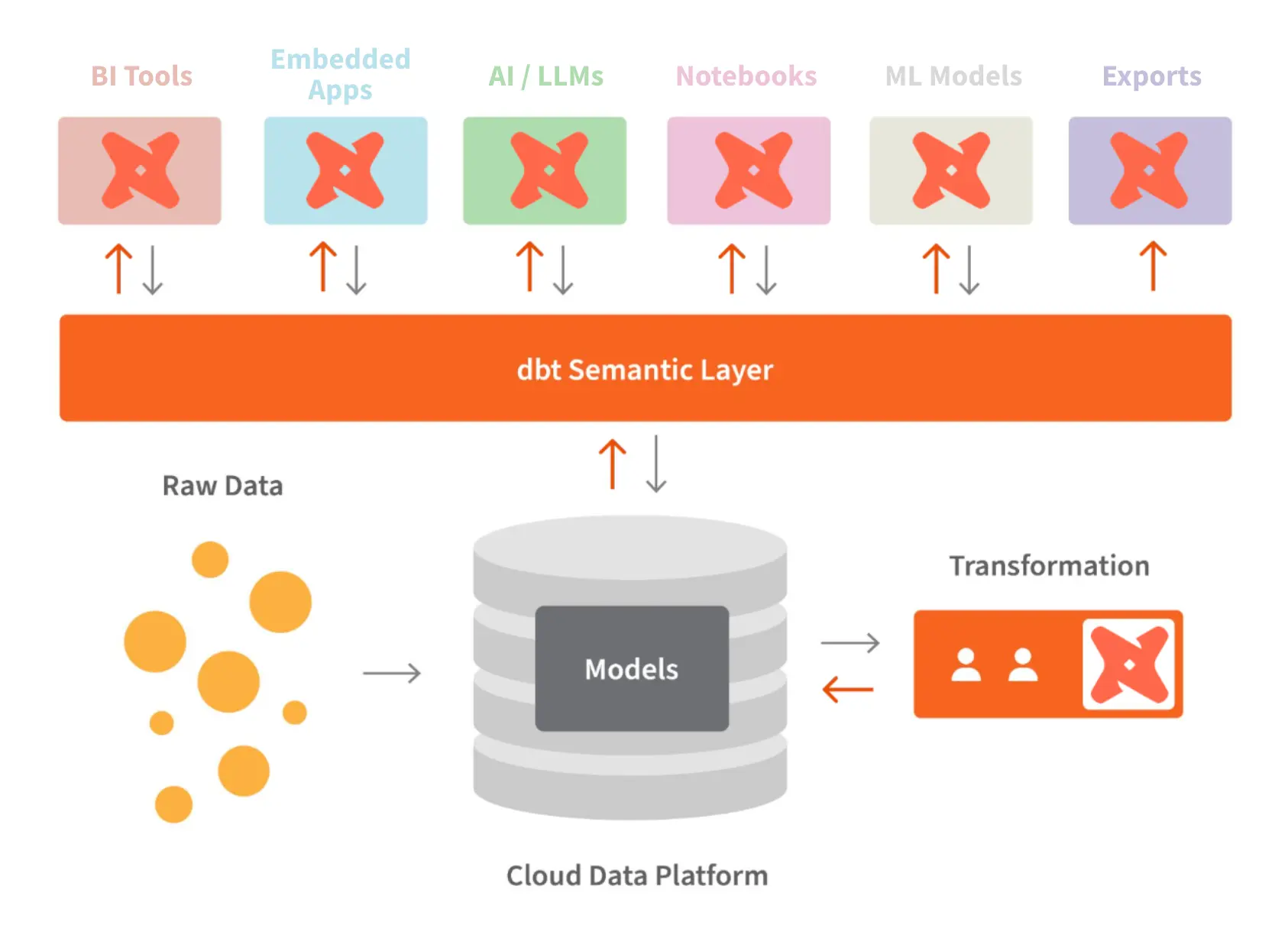
Underneath the hype, the need was simple. A data catalog is a dictionary. It tells you what words exist, things like customer, subscription, or churn. But without grammar, you can’t reliably say anything. The semantic layer is that grammar. It encodes how definitions combine, which metrics are canonical, and how “revenue by quarter” is supposed to work across every dashboard, notebook, and now, every AI prompt.
Semantic layers are having their second renaissance in the big 2026, not because analysts suddenly became even more principled, but because adding AI to business intelligence made the cost of ambiguity impossible to ignore.
LLMs are impressive, but left alone they are probabilistic guessers. They are not enough if you really, really want to implement true self-service analytics: they autocomplete intent, they infer joins, they hallucinate filters. That’s fine for flashy demos but disastrous for any serious reviews.
What changed though, is that more BI teams realized a mature semantic layer turns AI from a guesser into something closer to a deterministic partner. Instead of asking an LLM to reason over raw tables, you give it comprehensive business context, the grammar (metrics, dimensions, relationships) that are already agreed upon so that the model can be grounded in it. In that sense, the semantic layer becomes the core knowledge source for AI. It teaches the system why your definition of revenue includes refunds, excludes trials, and breaks by contract start date rather than invoice date.
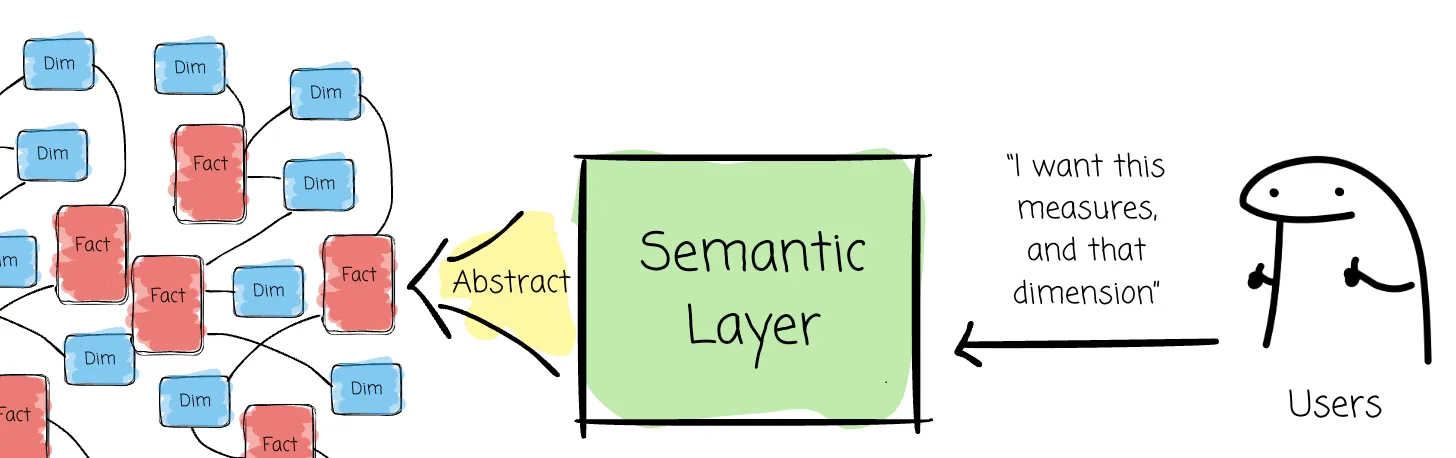
The semantic layer also gives AI somewhere to learn. Modern semantic layers let users feed context back into the model through the interface. Over time, the AI starts speaking the company’s language, not some generic SQL dialects. (I'd also say that semantic layer alone is still not enough for reliable AI, but that's topic for another day)
Now let's look into the best semantic layers on the market, and how they differs from each other.
The Two Types of Semantic Layers and How To Choose Them
Two Types of Semantic Layers
In our opinion, the semantic layer market can be divided into different architectural philosophies, primarily distinguished by whether they are standalone or bundled, and whether their logic is conventional or programmable:
- Standalone (Headless) Layers: Tools like Cube and the dbt Semantic Layer serve as universal sources of truth that sit in front of various integrations, including BI tools, notebooks, and marketing platforms. They rely heavily on versatile APIs to ensure metrics are consistent across the entire data stack.
- Bundled (BI-Integrated) Semantic Layers: Tools like Holistics or Looker integrate the semantic layer directly into the BI platform. While these are often optimized for the end-user experience within that specific tool, they historically lacked generic integrations for other external tools.
Choosing between a bundled, BI-integrated semantic layer and a standalone, headless one mostly comes down to where you want meaning to live.
1/ Choose a bundled semantic layer when participation and fast feedback loops matters.
- High business-user involvement: Users can contribute context, synonyms, and clarifications directly through the UI.
- Models that stay current: When the semantic layer lives where people actually work, definitions evolve naturally instead of decaying in a repo no one opens.
- Tighter AI feedback loops: Users can inspect how an AI arrived at a number, validate filters, and refine definitions in place. This creates a true human-in-the-loop system rather than blind trust.
- Less dashboard sprawl: Logic is centralized and reusable, not copied across charts. A change propagates everywhere.
- Better developer ergonomics: Programmable bundled layers offer static validation, composable metrics, and fewer brittle “variant” measures.
2/ Choose a standalone semantic layer when integration breadth is the priority.
Standalone semantic layers might be a better choice when consistency across many tools matters more than UI-level collaboration.
- Universal access: Metrics are exposed via APIs to notebooks, scripts, reverse ETL, and multiple BI tools.
- Tool-agnostic governance: One definition powers BI, notebooks, and automation.
For the rest of this article, I’m going to narrow the scope.
We’ll focus specifically on semantic layers that are bundled into BI tools, or more precisely, BI tools with semantic layer as a first-class citizen. Not because standalone layers aren’t important, but because this is where most teams we talked to actually feel the pain. This is where business users interact with metrics. This is where AI gets validated or corrected. And this is where, in my obviously biased POV, semantic layers matter the most
The Best Semantic Layer Tools and Their Differences
This is where things got wayyyy more interesting: we'll talk about how these layers are built.
Currently there are only a handful of BI tools with semantic layers, they are:
- Holistics
- Looker
- Omni
- Thoughtspot
Let's look into each of them.
Holistics Intelligent Semantic Layer
Holistics approaches the semantic layer as a programmable, intelligent system, not a static configuration artifact. The core shift is philosophical as much as technical: moving from table-centric modeling to metrics-centric thinking. Instead of treating tables as the source of truth and metrics as derived outputs, Holistics elevates metrics to first-class, independent concepts that can be composed, reused, and reasoned about directly.
This design choice means a few implications:
- Programmability over configuration: Holistics uses AML (Analytics Modeling Language) and AQL (Analytics Query Language) instead of YAML-based configuration. These languages support functions, variables, and reuse, and enable refactoring as models grow. Because the layer is typed, Holistics provides strong static validation:
- Invalid field references, broken relationships, and semantic issues are caught as you type.
- Errors surface during development, not at runtime when dashboards fail.
- Composable metrics as building blocks: Conventional layers often require duplicating logic for metric variants, creating “disconnected clones.” Holistics treats metrics as stackable components: define a base metric once, layer additional logic on top, such as filters, windows, or moving averages. When a base metric changes, all derived metrics update automatically, reducing metric sprawl and definition drift. This also allows AI to focus on generating high-level analytics logic instead of low-level execution details.
- AI-ready by design: The semantic layer acts as the grammar and logic AI needs to be reliable. Non-technical users can add AI context directly through the UI. This creates a true human-in-the-loop system where AI learns company-specific definitions instead of guessing.
- Native support for complex logic: AQL supports advanced analytics natively like running totals, cumulative sums or window functions. These operations can be expressed in a single line and remain semantically aware, meaning they don’t break when dimensions change.
Looker Conventional Semantic Layer
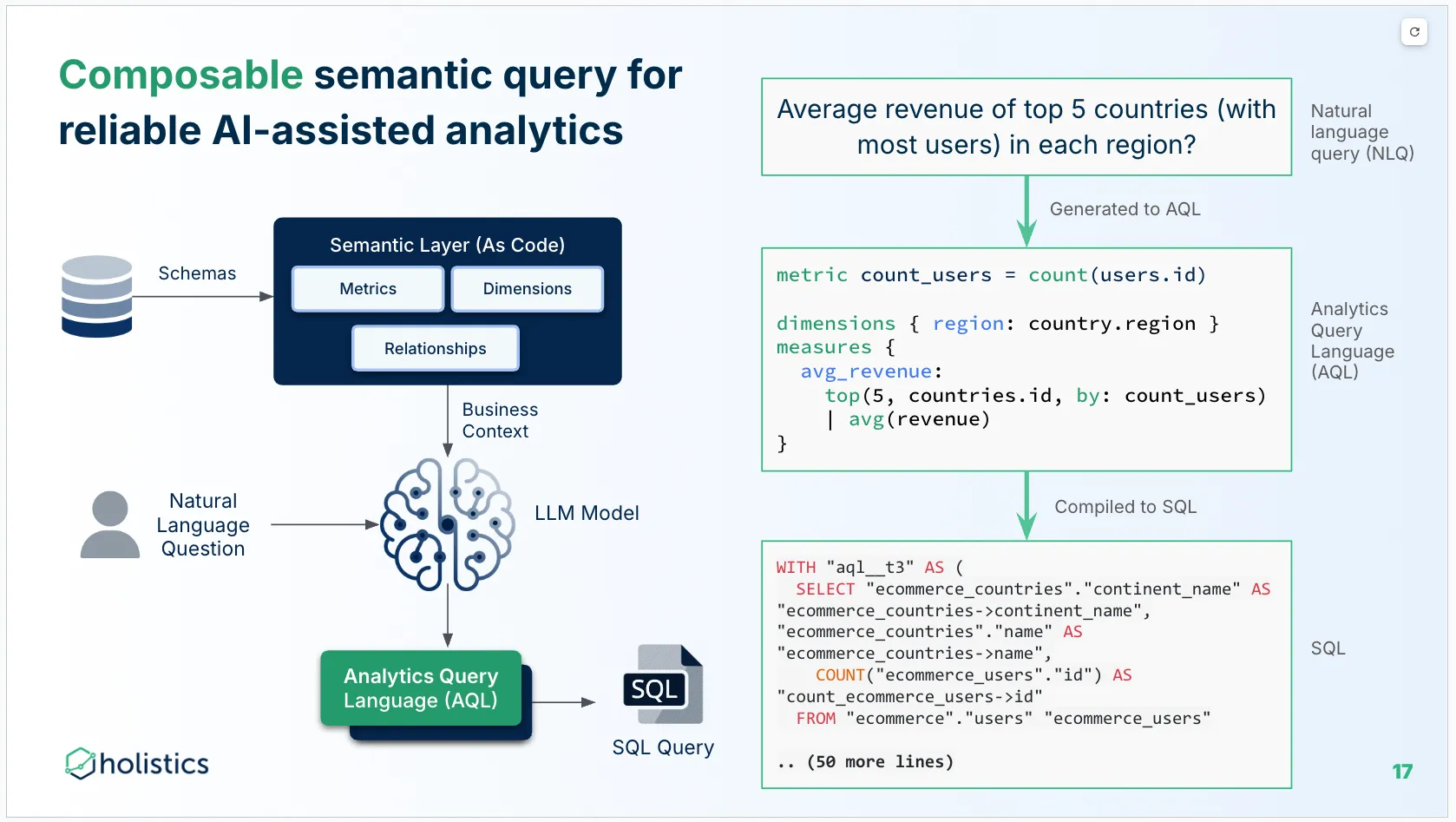
Looker is a mature, bundled tool that pioneered code-based modeling with LookML.
- SQL-Based Logic: Looker primarily uses SQL for defining metrics, which can be restrictive for complex use cases like cumulative sums, which often require building manual "derived tables".
- Static Control: It offers explicit, static control over generated SQL, using "symmetric aggregates" to handle many-to-many relationship issues.
- YAML-Based: Its configuration is largely YAML-based, which the sources characterize as "primitive" compared to programmable layers because it lacks functions, variables, and robust code reuse.
Omni Conventional Semantic Layer
Omni is categorized alongside Looker as a conventional layer but focuses heavily on the human-in-the-loop experience.
- UI Feedback Loops: Omni emphasizes a tight coupling between the UI and the model, allowing business users to refine definitions or add context (like synonyms) through the interface without knowing how to code.
- Calculated Fields: It often relies on Excel-like formulas or table calculations for specific logic, which the sources note are not "semantically aware" and can be brittle if dimensions change.
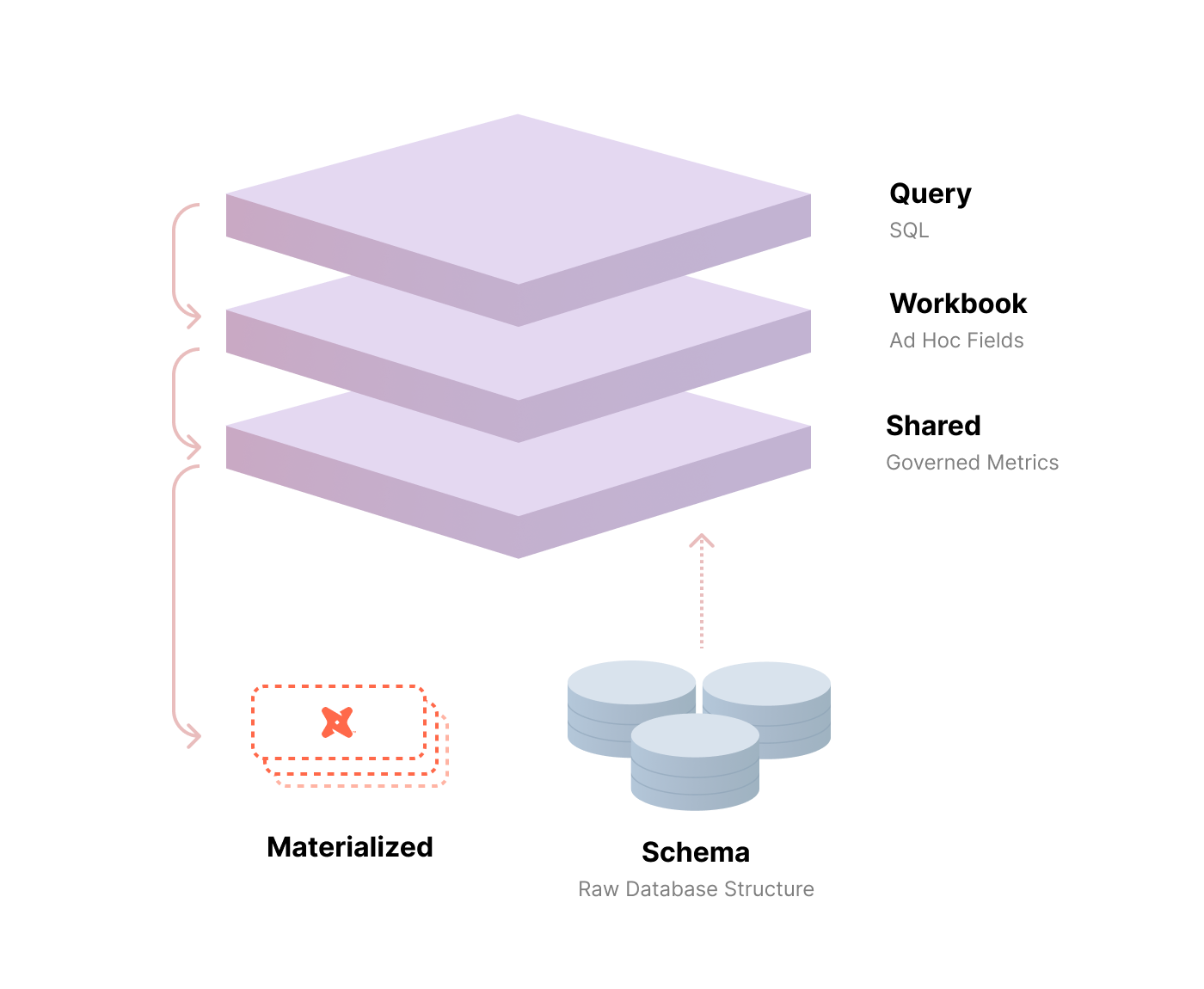
dbt Semantic Layer & Cube (Standalone)
- dbt: Turns standard data transformations into a full-stack metric definition center. It is widely considered the industry standard for the transformation layer.
- Cube: Known for its "Views" feature, which allows data teams to associate multiple tables together to be queried as a single, consistent dataset by external tools.
Comparing The Best Semantic Layers
Let's go back a bit to why semantic layers exist.
Broadly speaking, there are two ways to scale a data team in order to meet the growing business intelligence needs of your company:
- You continually hire more data analysts to keep up with demand. Every request routes through a data analyst, and the bulk of the analyst's job is to act as an English-to-SQL translator.
- You equip a small data team to empower the entire organization to get the data they need. These people would define key business logic - metrics, dimensions, and table relationships - once. Business users can then self-serve by mixing and matching these pre-built components in a BI tool.
By now, it’s pretty clear the second path scales better. And it’s also the path where the semantic layer stops being optional and starts being load-bearing. The catch is that not all semantic layers change the work in the same way. The differences show up across the full self-service journey, which usually breaks into three steps: finding data, trusting data, and customizing data.
| Questions | No Semantic Layer (Tableau, Metabase) | Conventional Semantic Layer (Omni, ThoughtSpot, Looker) | Programmable Semantic Layer (Holistics) |
|---|---|---|---|
| Finding data | |||
| How business users look for data | Finding data mainly through final artifacts (dashboards and visualizations), not semantic entities and metrics. Hard due to massive sprawling issue. |
Finding data still mainly through dashboards. Datasets are available but prone to sprawl issue. | Finding data through dashboards, datasets and metrics. Same metrics can be used across datasets and dashboards → less sprawl → easier to find. |
| How analysts look for definitions | Implicit within charts, SQL snippets, calculated fields, dashboard notes. | Central model files defines dimensions/measures. Lacking composable metrics mean variant of measures are duplicated → sprawl. Calculated fields (table calculations for Looker or Excel formula for Omni) are not centralized and stored in specific dashboards/workbooks. |
Central model + metric layer define definitions; Metric logic can be referenced and combined across models and datasets. Referenced to reused definitions can be followed naturally both in the GUI as well as within the code editor. No separate calculated fields needed so all logic are centralized. |
| How new analysts are on-boarded | Need to learn the implicit structure of metrics across dashboards. Need to remember all the variants and | Learning the model structures and naming. Still need to remember locations of all variants of metrics and calculated fields. | Learning the structure/naming of models, datasets and metrics in one place. All variants of metrics has explicit dependency lineage to follow. |
| Trusting Data | |||
| Consistency of metrics definition | Same metric can be redefined differently across dashboards/questions; drift happens easily | Metric definitions are more consistent when modeled as measures; still common to create similar-but-not-identical measures in multiple places | Metric definitions are intended to be single-sourced in a metric layer; metric reuse reduces definition drift |
| Change management | Changes happen at the dashboard/query level; change impact analysis is manual | Changes happen in the model files; can be reviewed and propagated to dependent content when deployed. | Changes happen in model + metrics; impact can be reasoned about from code-level dependencies (models/metrics referencing each other). |
| Validation and early error detection | Errors appear at runtime (broken dashboards, incorrect filters, SQL errors) | Some validation exists (e.g., model parsing, limited checks); deeper semantic issues often still only detected at runtime | Typed modeling enables stronger static validation (e.g., field references, types, relationships); more errors can be caught instantly as-you-type during development. |
| Customizing Data | |||
| Ad hoc questions | Flexible if the author can write SQL / build calcs; but logic often reimplemented per question | Users can explore within what the semantic model exposes; custom logic often requires model changes or bespoke measures/calculated fields. | Users can explore within the semantic model and also combine metrics through composition, both through the GUI or as code. |
| Creating new metrics | Commonly done as per-dashboard calc fields or per-question SQL; hard to standardize | Done as model measures; reusability depends on the modeling language’s ability to factor/shared logic | Done as metrics that can stack on top of other metrics (composable metrics); encourages shared building blocks rather than duplicated expressions |
| UI Interactions (drill, slice, compare) | UI interactions can be rich, but available only when all required data prejoined | UI interactions are limited to predefined metrics and dimensions. More interactions require custom to be calculated fields (Looker), or Excel formulas (Omni) | Rich semantic-aware UI interactions that uses composed metrics behind the scene. Thus, any interaction has 2 equivalent pathways: code and GUI. |
| Parameterization / variants | Usually duplicated logic per variation; managing variants is manual | Possible via model parameters / derived measures, but can become verbose; limited abstraction primitives in YAML-style configs | Programmable constructs support variants with less duplication (e.g., functions/constants/modules/extend, all protected by types), keeping variants explicit but maintainable |
What's happening in the BI world?
Join 30k+ people to get insights from BI practitioners around the globe. In your inbox. Every week. Learn more
No spam, ever. We respect your email privacy. Unsubscribe anytime.