
What is embedded analytics for SaaS?
Embedded analytics is the integration of interactive dashboards, reports, and data visualizations directly into a SaaS application's user interface. Instead of directing users to a separate BI tool, embedded analytics delivers data insights within the product where decisions are made.
For SaaS companies, embedded analytics serves two purposes:
- Customer-facing analytics. Customers access personalized dashboards inside the product to monitor their own data — usage metrics, performance KPIs, financial summaries — without leaving the application. This is increasingly table-stakes: customers expect to see their data inside the product, not in a separate tool.
- Revenue and retention driver. Analytics features can be offered as a premium tier, creating new revenue streams. Companies that embed analytics into their products report higher customer retention and engagement because users depend on the data to make daily decisions.
The leading embedded analytics platforms in 2026 include Holistics, Looker, Tableau Embedded, Sisense, GoodData, Power BI Embedded, Embeddable, and Luzmo. Each approaches embedded analytics differently — from iframe-based embedding to native web components to full API-driven integration.
Why does embedded analytics matter for SaaS products?
Embedded analytics transforms a SaaS product from a workflow tool into a decision-making platform. The business impact is measurable:
- Higher feature adoption. Product-led SaaS companies that embed analytics report up to 3x increases in analytics feature usage within the first two months of deployment, because removing the friction of switching to a separate tool makes data accessible.
- Reduced support load. When customers can self-serve their own data questions, support requests drop. Teams report 30-40% reductions in data-related support tickets after embedding analytics.
- Competitive differentiation. In a crowded SaaS market, analytics becomes a feature that competitors without it cannot match. Customers who rely on embedded dashboards for daily decisions are significantly less likely to churn.
- New revenue streams. Advanced analytics tiers — custom dashboards, automated reports, predictive insights — create upsell opportunities. Customers willingly pay more for deeper access to their data.
What are the common challenges of building customer-facing analytics?
Implementing embedded analytics is not trivial. Product and engineering teams face recurring challenges:
Multi-tenancy and data isolation. Each customer must see only their own data. Row-level security must be enforced at the query level, not the application level. Failing to isolate data between tenants is both a security risk and a compliance violation (GDPR, CCPA, SOC 2).
Integration complexity. Embedding analytics into an existing SaaS product requires authentication integration (SSO, JWT), UI customization (white-labeling, CSS theming), and performance optimization (query caching, lazy loading). The complexity varies significantly by tool — some platforms embed via iframe with minimal code, others require frontend SDK integration.
Performance impact. Analytics queries can be resource-intensive. Poorly optimized embedded analytics slow down the host application. Caching strategies, query optimization, and data warehouse tuning are essential.
Maintenance burden. Every embedded dashboard requires ongoing maintenance — metric definitions change, data schemas evolve, new customer segments need new views. Without a centralized modeling layer, maintenance costs scale linearly with the number of customers.
The build vs. buy decision. The most fundamental challenge is architectural: should you build analytics in-house or use an embedded analytics platform?
Should you build or buy embedded analytics?
Product teams that need customer-facing analytics face a common dilemma. Building in-house gives full control over the UI and data model, but consumes engineering resources that could go toward core product features. Buying an embedded BI tool is faster to ship, but can feel rigid and disconnected from the product experience.
When building in-house makes sense:
- Analytics is a core product differentiator (e.g., you are an analytics company)
- You have significant engineering resources available for ongoing maintenance
- Custom requirements cannot be met by existing tools (highly specialized visualizations, real-time streaming)
When buying makes sense:
- Analytics is a feature, not the product. Engineering time is better spent on core functionality.
- You need to ship embedded analytics within weeks, not quarters.
- You expect the number of embedded dashboards and customer segments to grow. Maintaining custom-built analytics at scale costs $2-3M/year in engineering salaries and infrastructure.
The third path: code-based embedded analytics. Some platforms — notably Holistics — offer a middle ground: visual dashboard building for speed, combined with Git-based version control, CI/CD workflows, and a code-based semantic layer for engineering discipline. This gives product teams the deployment speed of a buy decision with the maintainability of a build decision.
What features should embedded analytics for SaaS include?
When evaluating embedded analytics platforms, these capabilities determine whether the embedded experience will feel native, scale across customers, and remain maintainable:
Multi-tenancy. The platform must support per-tenant data isolation at the query level. Dynamic row-level security ensures each customer sees only their own data without requiring separate deployments per tenant.
White-labeling and UI customization. Embedded dashboards should match your product's design — logos, colors, fonts, layout. The analytics experience should feel like a native part of your application, not a third-party widget.
Self-service for end users. Your customers should be able to filter, drill down, change date ranges, and explore their data interactively. Static, read-only dashboards are no longer sufficient — users expect the ability to answer follow-up questions within the embedded interface.
Semantic layer for metric consistency. As the number of embedded customers grows, maintaining consistent metric definitions across all tenants becomes critical. A centralized semantic layer ensures that "Monthly Active Users" or "Revenue" means the same thing in every customer's dashboard.
Developer-friendly integration. The embedding mechanism matters: iframe embedding is simplest but offers limited control. JavaScript SDK and API-based embedding offer more customization. Web component embedding provides the most native feel.
Scalability. The platform must handle increasing data volumes and concurrent users without performance degradation.
Scheduling and automated delivery. Customers expect automated reports delivered via email on a recurring schedule, plus threshold-based alerts when metrics cross defined boundaries.
Best embedded analytics tools for SaaS in 2026
For a detailed comparison of the best embedded analytics platform, check out this comparison matrix.
1. Holistics Embedded, AI-powered embedded analytics with code-first workflow
Holistics offers an embedded analytics platform that allows product teams to ship customer-facing analytics that's secure, native and predictably priced. Its feature include:
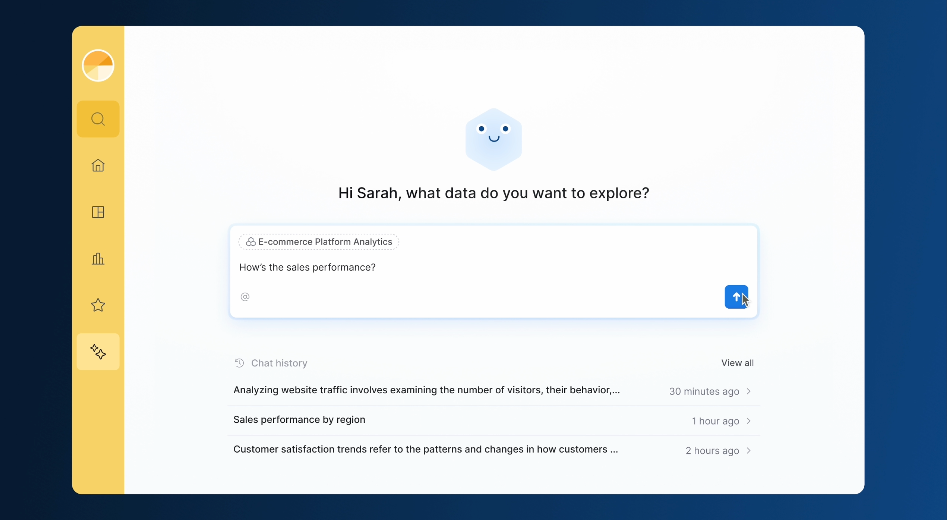
- AI chatbot: Give your customers natural-language access to analytics without building pipelines, models, or infrastructure from scratch.
- Multi-tenancy: Dynamic data sources/schemas, row-level security
- White-labeling: Full CSS customization, custom branding
- Semantic layer: Define metrics once, reuse across all tenants.
- Self-service: Drag-and-drop exploration, cross-filtering, drill-through
- Version control: Native Git integration with CI/CD
- Robust security: Hardened authentication, isolated access, and per-tenant controls, with SOC2, HIPAA, and GDPR compliance built in.
- Pricing: Starts at $800/month. Unlimited dashboard viewers.
Best fit: Product-led SaaS teams that need to ship embedded analytics fast while maintaining engineering discipline.
Limitations: Higher learning curve with AMQL. No API embedding yet (iframe only).
2. Embeddable, purpose-built for native in-app analytics
Embeddable is designed specifically for embedded analytics, not adapted from an internal BI tool.
- Embedding method: Web components, React SDK, Vue embeds (no iframes)
- Customization: Fully extensible charts, pixel-level control
- Developer experience: SDKs, APIs, deployment environments (QA, staging, production)
- Pricing: Fixed-price subscription, no per-user cost
Best fit: Teams that need full pixel-level control over the analytics UI without iframe constraints.
Limitations: Requires frontend coding for custom designs. Not an internal BI tool. Smaller ecosystem.
3. GoodData, multi-tenant embedded analytics at scale
GoodData is built for SaaS vendors serving hundreds or thousands of tenants.
- Multi-tenancy: Per-workspace (per-tenant) architecture
- Semantic layer: MAQL (GoodData's query language)
- Pricing: Starts from $1,500/month
Best fit: SaaS vendors that need a platform architecturally built for multi-tenant scale.
Limitations: MAQL has a steep learning curve. No Git-native version control. Higher setup complexity.
4. Luzmo, user-friendly embedded dashboards
Luzmo offers a drag-and-drop editor with API-driven embedding.
- Embedding method: React, React Native, Angular, Vue components
- AI features: Plain-language insights
- Pricing: Starts from $995/month
Best fit: Teams that want quick deployment with modern frontend framework support.
Limitations: Higher starting price. Limited customization per G2 reviews.
5. Power BI Embedded, Microsoft ecosystem integration
Power BI Embedded integrates Power BI visualizations into applications for Microsoft-centric teams.
- Multi-tenancy: Row-level security, workspace isolation
- Visualization: Rich library with custom visuals marketplace
- Pricing: Capacity-based from $4,995/month or per-user from $10/user/month
Best fit: SaaS companies on the Microsoft/Azure stack.
Limitations: Complex pricing. DAX learning curve. Microsoft ecosystem dependency.
6. Tableau Embedded, visualization excellence
Tableau Embedded offers industry-leading visualizations via JavaScript API and iframe.
- Customization: Extensive visualization options, pixel-perfect design
- Self-service: Ask Data (natural language), interactive exploration
- Pricing: Custom, enterprise-level
Best fit: Teams where visualization quality is the top priority.
Limitations: Costs escalate quickly. Embedded dashboards can feel like Tableau widgets.
7. Looker Embedded, governed embedded analytics
Looker offers embedded analytics through its Embed SDK with programmatic iframe control.
- Semantic layer: LookML (centralized metric definitions)
- Multi-tenancy: Row-level security, multi-environment setups
- Pricing: Embedded tier: $100K–$1.77M+/year
Best fit: Organizations already using Looker internally that want to extend to customer-facing use cases.
Limitations: Starts at $100K/year. LookML maintenance is specialist-driven.
8. Sisense, in-memory embedded analytics engine
Sisense targets product teams wanting turnkey embedded analytics with fast query performance via ElastiCube.
- Data engine: ElastiCube (in-memory) + live connections
- Customization: White-labeling, drag-and-drop interface
- Pricing: Starts from approximately $21K/year
Best fit: Teams that need fast in-memory query performance.
Limitations: ElastiCube requires dedicated server resources. Opaque pricing. No Git version control.
Real-world examples of embedded analytics in SaaS
- Strava embeds workout analytics directly into the fitness app, making analytics a core retention driver.
- Zendesk integrates support analytics — ticket resolution times, CSAT scores, agent performance — into the agent interface.
- Shopify embeds store performance analytics into the merchant dashboard for millions of merchants.
- BambooHR provides embedded HR analytics within the HR management platform.
- Canva offers embedded usage analytics for organizational accounts.
How to choose an embedded analytics platform
For a more detailed, feature-by-feature comparison, see our embedded analytics comparison matrix covering embedding methods, pricing, security, and maintainability.
- Engineering discipline + fast deployment: Holistics — Git-native workflows, code-based semantic layer, reusable templates.
- Pixel-perfect native integration: Embeddable — web components, no iframe constraints.
- Hundreds of tenants at scale: GoodData — per-workspace multi-tenant architecture.
- Microsoft/Azure stack: Power BI Embedded — native ecosystem integration.
- Visualization quality priority: Tableau Embedded — most polished visuals.
- Already using Looker internally: Looker Embedded — extends LookML models, budget $100K+/yr.
- Quick start with modern frameworks: Luzmo — React, Angular, Vue support.
- Fast in-memory query performance: Sisense — ElastiCube engine.

Data Engineer turned Product; writes SQL for a living.